At the tail of the last post, I said that the incendence system and environmental magic were next. Guess what! It was next. It was complicated, but it is working and it is good :)
Let's break this down and make some new video clips.
So. Environmental Magic. This is a system designed to let the player change the terrain. We already had (somewhat stable) terrain changes, but the nature of those changes is quite a bit different from the new system. A few of the old-style changes included the bridge builder (featured at the end of the tutorial, and on Outpost), and a couple hacky commander skills that no one but I used. These will be gone soon. A second set of old-style changes are the elemental impacts system, which will be staying. It compliments the new system nicely, and will be used for non-mana manipulation skills. Any explosions or active flames and whatnot will still use the old impacts system, which works well.
The new system is built specifically to give the skills to the player. To that end it has to be limited and controlled enough to prevent the player from abusing the skills to absurd extent. Honestly letting the player arbitrarily change the terrain is a terrible idea if you want to control the gameplay. The fact we're trying this at all is a testament to pushing boundaries that oughtn't be attempted. The payoff of course, is that no one else has really succeeded in giving this style of control, so if we do succeed to any extent with it it's a mark in our favor.
So anyway, the limiters. The new system is pretty much entirely based on the concept of conservation of energy. The energy in this case is not potential, nor kinetic, nor chemical, it's just Mana. Every type of material has a mana density; how much mana they contain per unit volume. Mana, by the way, comes in 4 forms, as per classical elements. Mana is conserved. From this concept we defined 5 basic operations, which are pieced together to build the actual skills.
First is extract; this takes a chunk of material and converts it into a less mana-dense form, while preserving overall mana. The net effect is that new material volume is created, but it is less mana-dense.
Second is draw; this is very similar to extract, except instead of creating new volume, the excess mana is absorbed into the caster, stored and usable later. The net effect is that material is converted to weaker types in the local area.
Third is infuse; this is the opposite of draw; mana is pushed into materials, converting them to more mana-dense forms without change in volume.
Fourth is compress; which is the analogue of extract to draw for infuse. Compress reduces overall volume when converting to more mana-dense forms.
Last is shift; which just moves a chunk of mana from one location to another.
Each has some mana cost; small but important.
The nature of these is that mana is conserved or lost. This enforces that things do not get too crazy on the map; There's a limit to what can be generated; implied by the original amount of mana present. If we build a map to play on that consists entirely of sand (a very low-mana material), then that by itself completely removes any possibility of manipulation. There simply isn't enough mana to do anything with. The density also limits any volume changes. The total mana of a bridge's material has to be put into the bridge to construct it, and that mana (plus expenses) has to come from somewhere.
After that we added more limiters. Extractions and Infusions and Shifts have an overall power requirement, per material. Granite is hard to work with; extra skill is required to work with it. Likewise at the bottom of the earth-spectrum, sand is complicated. This limits the player in where he can manipulate the terrain, but in a graphically obvious way that can be played around.
Then after that we have to manage reach; how far the operations can work through the ground. I invited the concept of mana-pressure; how much pressure the manipulator can exert on the terrain. Pressure travels out through the materials using a conductivity calculation that depends on their mana density. Earth pressure reaches further through earth-aligned materials, for example. This conductivity is fairly unbalanced; so reach will fall along aligned conduits in the ground, potentially extending total range in the right circumstances. You could even generate explicit lines of high conductivity material to control how the mana flow is directed.
How about some visuals?
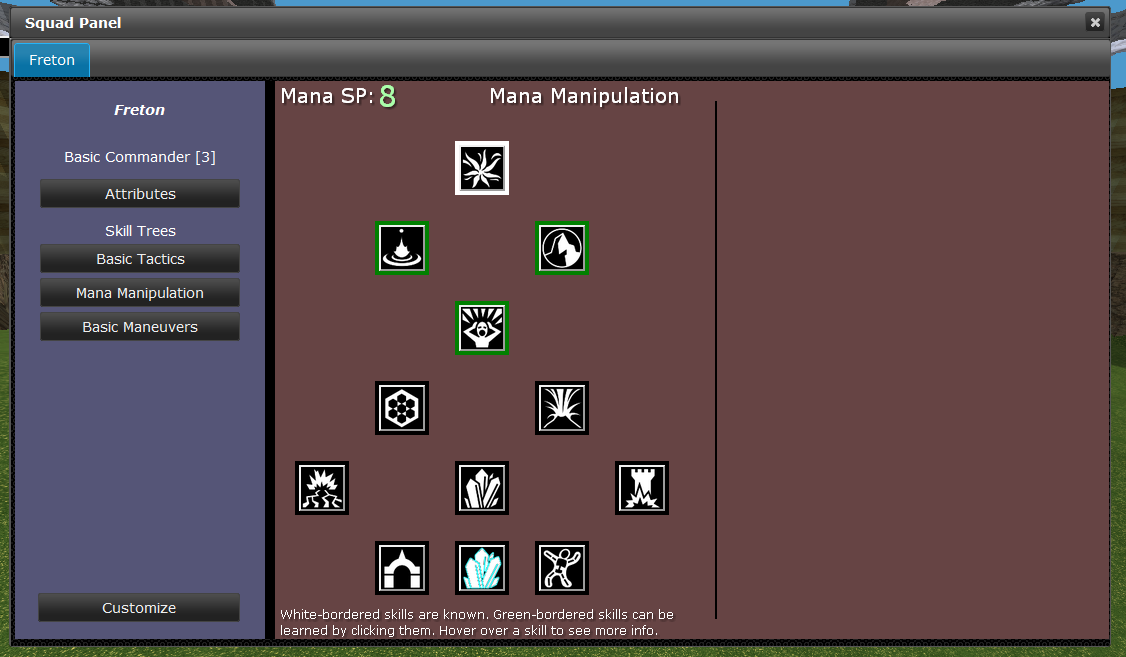
Here's the first version of the Mana Manipulation skill tree.
And here are short videos for the various new skills in action:
Mana Draw (Pulling mana from the grass and dirt, turning it into lesser rocks. The first outward pulse represents the mana pressure, that is, the effective range of the draw force)
Mana Infuse (Pushing mana into dry mud and mud, turning into mud and dirt, then running out of mana)
Mana Extract (Extracting Gravel from Shale, and Sand from Gravel, to produce a column of material at distance)
Mana Wall Construction (Drawing a line in the ground, then infuse/extract/shift to move it into a wall shape)
Mana Bridge Construction (1) (Extract/Shifting a bridge out of the ground)
Mana Bridge Construction (2) (Building a second bridge from less dense materials. You can see that sand is getting used at the end of the bridge, since the source area is running out of mana-dense materials. This bridge could not get much longer, and when physics is written, the sand would fall out of it)
Mana Shift-Smoothing (Using Shift to smooth out the surrounding area, making it traversible)
Hope you enjoyed!
Next time I'll talk about Incitement and Incendence. It is currently WIP, maybe halfway through implementation.
Tuesday, March 17, 2015

Friday, January 16, 2015
Over the holidays
Time was limited of course, with moving, buying a house, selling a house, and holidays, but nonetheless a small update is in order:
- Revamped (rewritten entirely) Chat system
- We once again have an OpenFire XMPP server running on the uni server. Accounts are created by the server to match universe accounts, and some chat channels are running.
- The chat UI was rebuilt and is substantially more functional! It runs in the bottom center of the game now, has autocomplete for commands, and supports whispers, say (in game speech), channels (global exists right now, later others), and custom commands (who, reloadui, etc). It's somewhat nicely styled to allow scrolling but not get too much in the way of the camera. As always polish will improve over time as annoyances show up.
- Whispers in chat communicate via direct message in XMPP, without the game server being a part of it at all. So you can, in fact, use any other XMPP client to join the global channel or be online for whispers (and whisper back).
- Server stability
- Did a bit of work on the server to prevent some weird hangs, we'll see if it works, but so far so good.
- Dynamic reloading
- The client can now reload the ui, reload assets, etc.
- It can also be run in a mode where it monitors the client database file, and if it changes, reloads it dynamically and reloads the zone. It makes updating visual effects fairly seamless. I can keep the visualizer open while a game is playing, save from the visualizer, and the new effects appear in 4 or 5 seconds.
- Incremental database building
- The old build from google docs for the majority of the game data would destroy everything it built previously, and build it all back up every time. I moved to an incremental approach based on the last editted timestamp of the document, so it is much much faster.
- We also have a polling system for updates :)
- It also can update live while the zone runs, swapping in changes on the fly :)
- So basically you can run a local zone and a debug client set up to automatically pull changes from the database, compile them and establish them in game in 10 seconds. This should make the editting process way way way faster. The old reload/test cycle was 3 or 4 minutes at best, the new is 10 seconds. BEHOLD progress.
That's that. Next on the docket is the incendence system and the elemental skills update, for which the above were written. And then after that finally back to scenarios :)
Monday, November 17, 2014
Next Phase Completion!
Since the UI overhaul mentioned last time, I've been working on some graphics stuff, and can happily now say that it is complete, and kinda nifty!
- We now have a geometry and material pipeline of sorts.
- Basically I wrote a tool that can process geometry, tweak it, reorient it, and kick it back out into a custom format for World.
- I also wrote a materials and shader system to go along with it. It works for straight meshes and character rigs. The geometry processor can apply materials too.
- The new file loads as a new type 'Model' rather than 'Mesh', so lots of the existing code has to migrate to Models (which have materials). But that's done and good so props and stuff can have materials.
- We now have a skinner.
- Another tool that takes a rig and a model, and lets the user apply vertices to a rig joint, then preprocesses the whole thing to be used by the character skinning engine.
- Both the Skin and Model processor are built off of my Froge and Scene libraries, which are maturing nicely. Froge is a C# <-> JS engine to build up easy UIs. It's terrible if you care what it looks like, but it has native support for most stuff I need for a tester or light tool. The scenes just manage a simple display loop with a built in Awesomium frontend, with Froge attached.
- We now have a turtle!
- Max's turtle obj has been model-ified, rigged and skinned, and a small set of animations sculpted. It's kind of neat, and it opens the way for more textured and modelly characters.
- We have a new display system for Morale!
- Since all the display and material and skin code changed, and now characters are rendered with materials, the special case morale-borders is gone.
- So I built a new multi-pass setup for showing outlines for units, that glow based on the unit morale. I also added a sort of upward and downwards flow to the outline based on the way morale is changing over time. It's lots more subtle than the old way, but it's lots cleaner and I think much better
Here're some clips!
Yay turtles :)
Friday, October 24, 2014
UI Overhaul phase 1 complete!
Long and hard was the road fought, but the squad panel is complete (for now at least), and I can move on to something else :p
Take a look! http://redtoast.net/SkirmishUI/Squad/TestSquadPanel.htm
Like the formation panel ui from the prior update it can also be interacted with straight in a browser. A lot of the resources may be missing; icons and state/skill/action definitions mostly.
Grar!
Take a look! http://redtoast.net/SkirmishUI/Squad/TestSquadPanel.htm
Like the formation panel ui from the prior update it can also be interacted with straight in a browser. A lot of the resources may be missing; icons and state/skill/action definitions mostly.
Grar!
Wednesday, September 17, 2014
New panels, Web UI development
Hi :)
So the last week or so has been taken up by rebuilding the formation editting panel. Since we've been moving our UI frontend code to web tech through Awesomium, this means learning a whole bunch of new technologies to manage it. And since I'm new at these sorts of languages, it also means constant retuning and rebuilding of the code. Now that's it's a little more stable I wanted to talk about it some.
First, one of the big advantages of using the web-style frontend, is that you can use it in a browser! So, here's the new panel! Go take a look!
Commander Formation Panel Tester
This thing here is built using a pile of stuff a learned recently:
So the last week or so has been taken up by rebuilding the formation editting panel. Since we've been moving our UI frontend code to web tech through Awesomium, this means learning a whole bunch of new technologies to manage it. And since I'm new at these sorts of languages, it also means constant retuning and rebuilding of the code. Now that's it's a little more stable I wanted to talk about it some.
First, one of the big advantages of using the web-style frontend, is that you can use it in a browser! So, here's the new panel! Go take a look!
Commander Formation Panel Tester
This thing here is built using a pile of stuff a learned recently:
- Javascript, of course, since the web runs on javascript. I don't have all that much javascript experience in the past, so there was certainly some learning. The first set of UIs, which have been in the game's main menus for a year or so, use JS of course, but there's good JS, and bad JS, and those menus are... bad JS...
- TypeScript: I admit it, I'm only comfortable programming in primarily statically typed languages. Typescript is a nice balance between typing and javascript. While it took a bit to learn how to use it properly, since you have to compile it into JS, it's been a noticable improvement for me personally.
- Handlebars: Handlebars is a templating system to build HTML docs (or JS I suppose) from JS data. My standard coding methodology is to break things down into pieces, yes? HTML/JS/CSS don't really let you do that. Using handlebars to break the HTML bits into pieces gets me some of the way there. Most of the pages I build now use a few templates. Recently I started keeping them in separate files, loaded dynamically when needed.
- HTML5 Canvas: The main interactive area of the formation panel is displayed with canvas. Turns out that coding to canvas is a lot like using a super-primitive 2D version of OpenGL. Piece of cake :)
- JQuery / JQuery UI: JQuery of course is largely requisite for some kinds of JS development. I know it's not truly necessary and that there are other options, but I don't have a personally compelling reason to switch. JQuery UI is a bit of a different beast. We use it mostly to set up buttons with consistent styles, tabs, sliders, checkboxes, and other core UI elements. I'm not sold on it, but it does seem to work well enough so far.
So mercifully the frontend code is becoming less of a mess. With other bugs getting fixed in the game's UI management, we may actually be getting somewhere on having a reasonable UI toolkit.
Took long enough, eh?
Next task is the commander panel; skills and classes and customization. It used to sound like an impossible task, but I'm beginning to think it won't be so terrible. Will find out soon :)
Friday, August 29, 2014
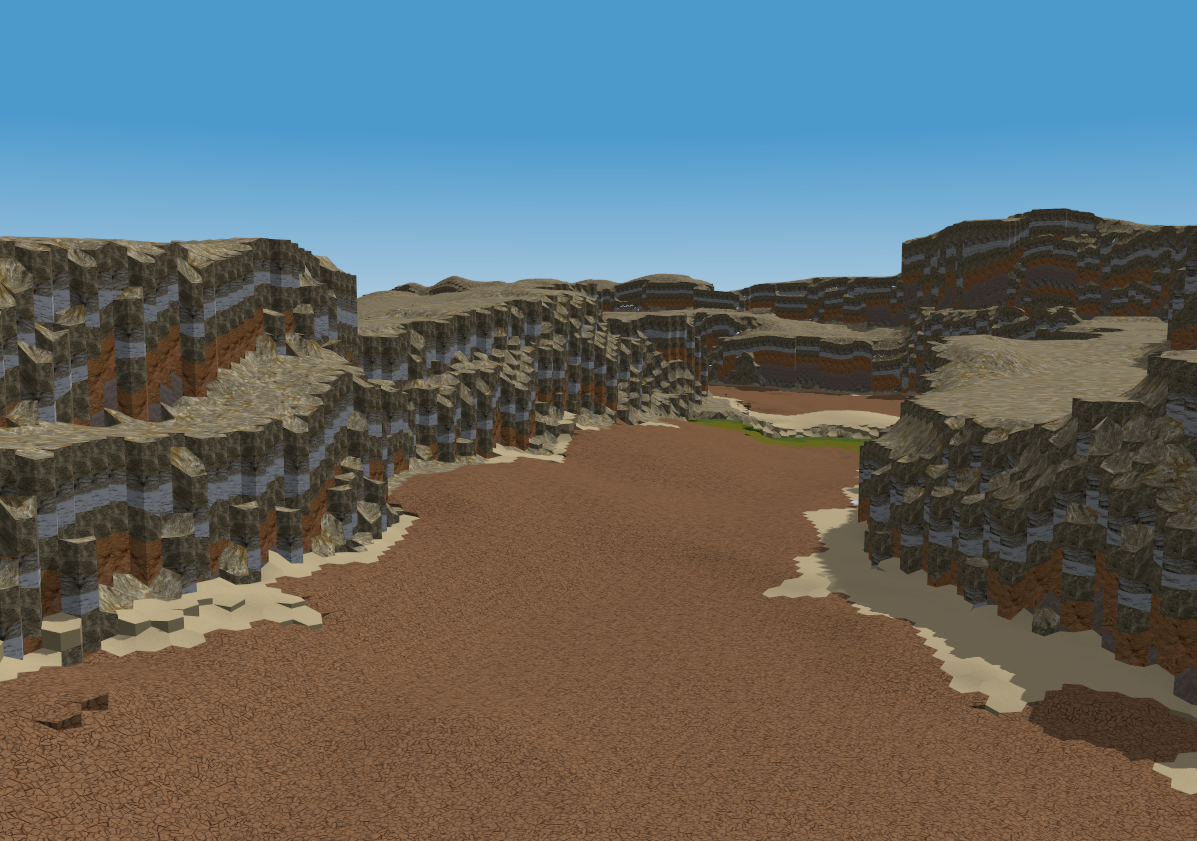
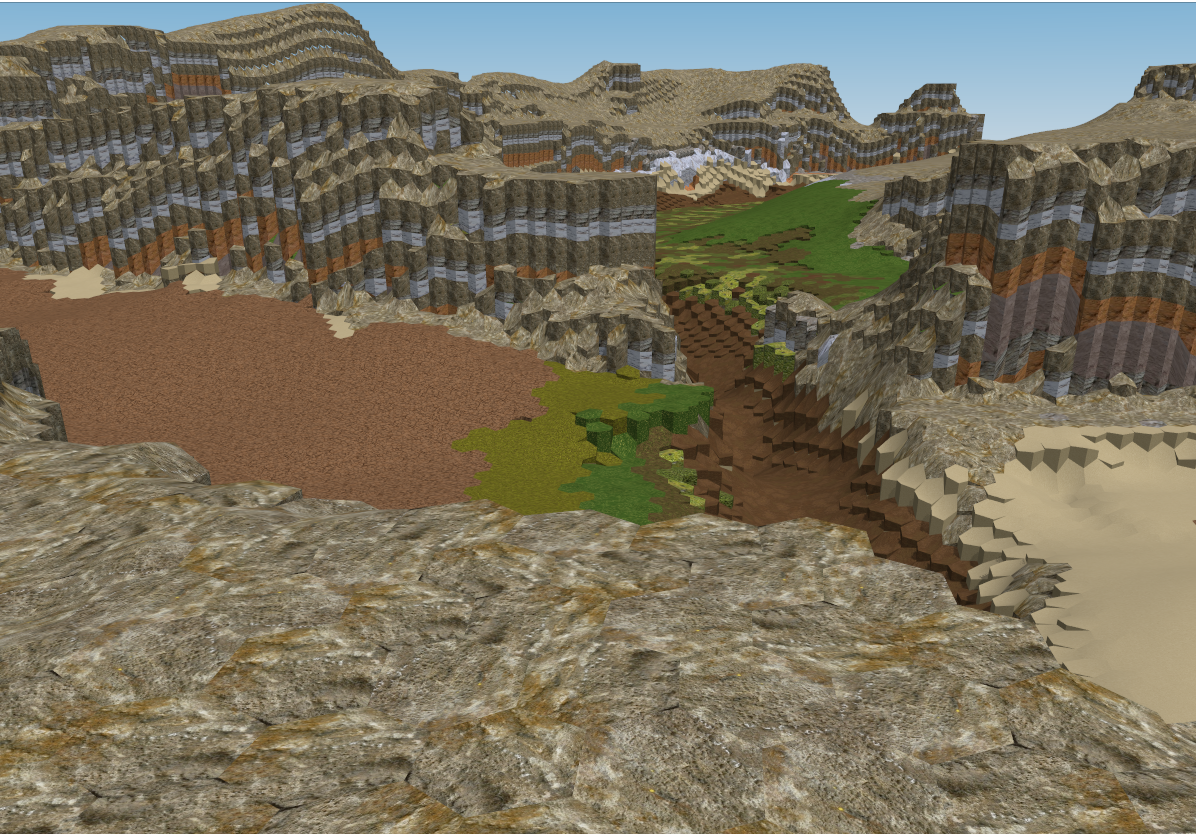
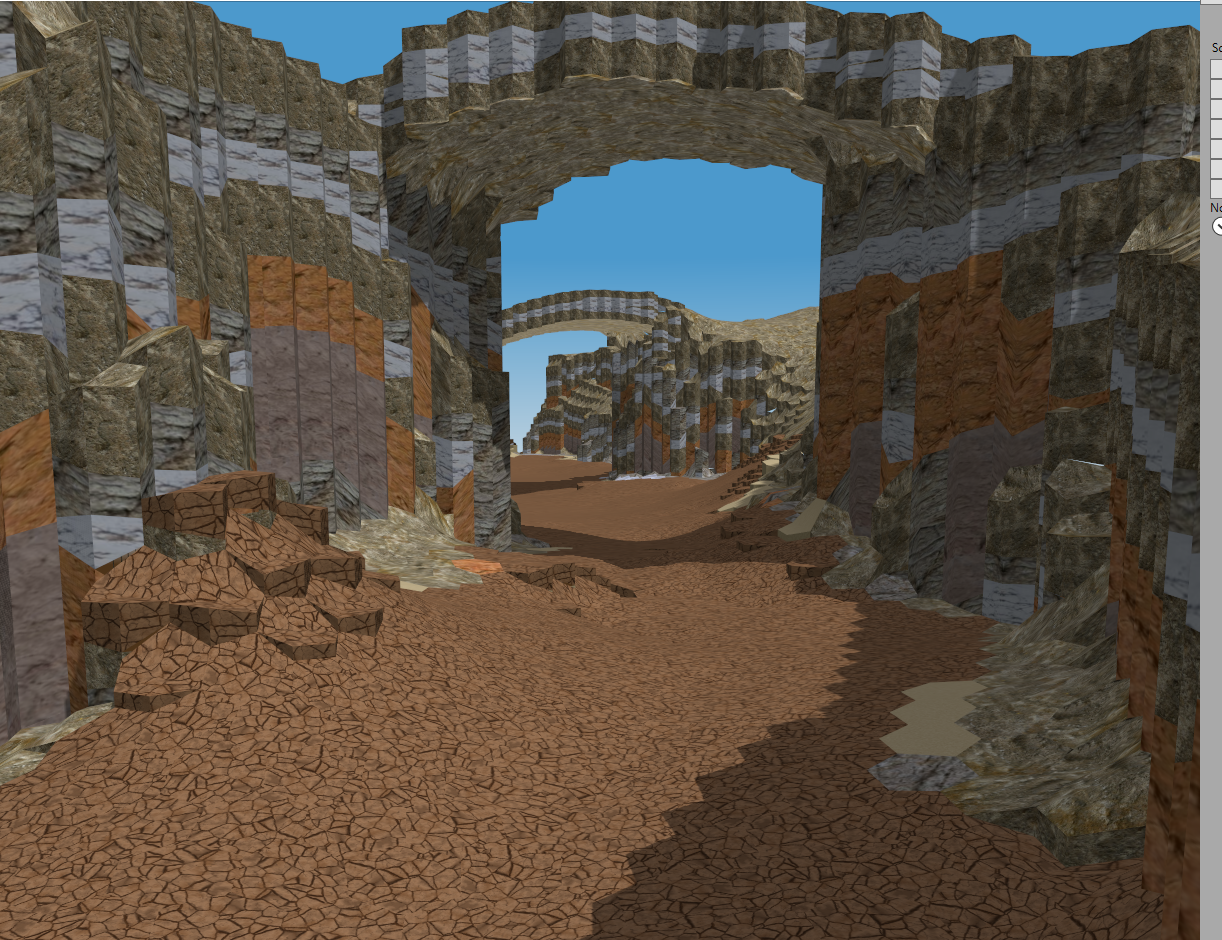
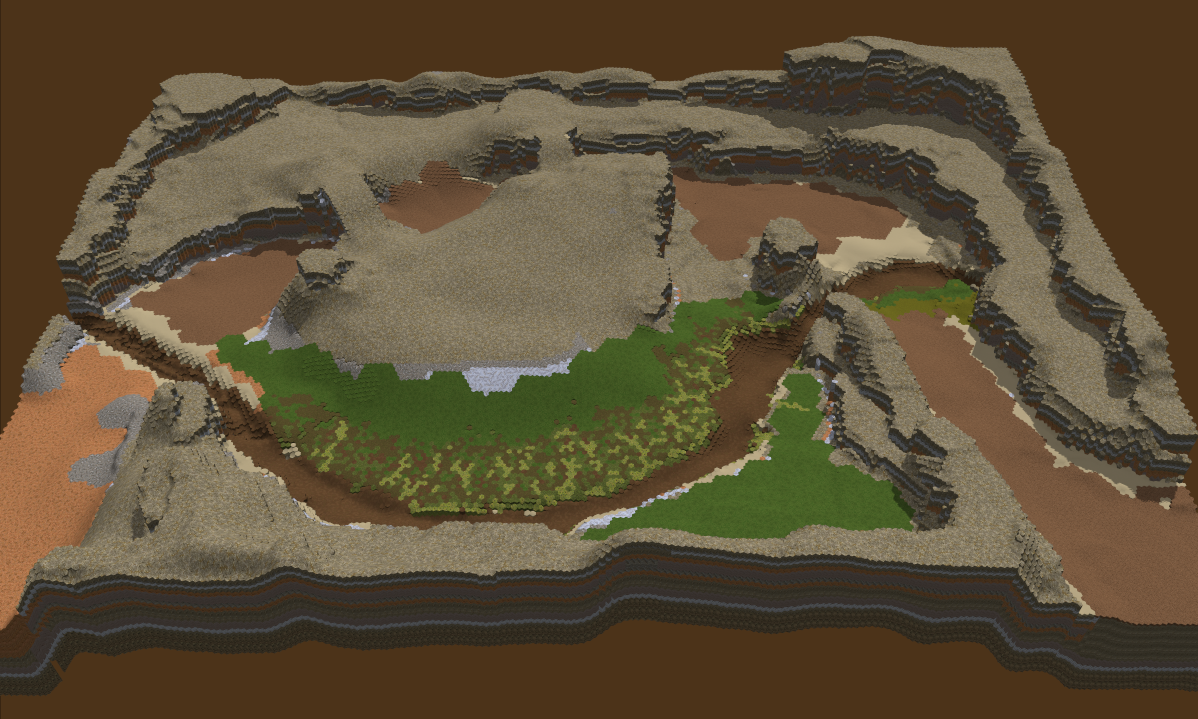
Caravan (Scenario 2) preview images!
Eirikr's been at it in the scenario editor :)


 Early WIP, but neat :)

Wednesday, August 6, 2014
Tutorial Test Phase 2
It's time for another phase of tutorial testing! The feedback from the LAN has been integrated, and some other mechanic tweaks are now in play. I'm going to send out email to quite a few people who haven't played the tutorial yet to get some feedback, and we'll see how it goes from there. :)
Here's some of the changes.
Here's some of the changes.
- Overall Game Updates
- Maneuvers have more reliable cooldowns and behaviors. Hold, Reform, and other instant maneuvers instantly start their cooldowns, so should be available sooner and more consistently. Movement based maneuvers now have a delay after first contact before stopping, so the final contacts should be more reliable.
- Retreat is revamped a bit. Retreat grants a short burst of speed when initiated, same as before. But now, if you redirect retreat, you get another burst of speed at the cost of morale.
- Movement and animation has been seriously updated; Unit legs should be more under control. Units should move much much more smoothly than before. Units shouldn't wiggle as they go back and forth along the hex grid. Units will do some extra animating when running fast, and the locomotors have been largely rebuilt. Unit knockbacks are animated much smoother as well.
- Application Updates
- Asset downloads are now retrieved from S3 instead of the universe directly. This took some magic but should pay off. In the end this means faster asset downloads with less impact to running zones, and more reliable fetching.
- Main menu minor updates: When you have no commanders yet, the 'New commander' menu is skipped. Also, when you create a zone, you now enter a new menu mode, and automatically join when it goes live.
- Tutorial Updates
- Many paths have been shut down to prohibit Joey from breaking everything.
- Many sections of the tutorial are now done in cinematic mode to prevent the user from bypassing sections while talky talk is happening.
- All dialogue is slowed down substantially, and the player can now hit spacebar to skip most dialogues. Space will also skip the big dialogs, but only a few seconds after they show up.
- Retreat section partial rebuild. The Glacial elemental's abilities have been slightly changed.
- The final section now introduces Morale (and HP) and Special attacks. Also the raised platform is destroyed when claiming the Legacy.
- The 3 learnable terrain manipulation skills are more reliable and less crashy, not that anyone used them :)
- Known Tutorial Flaws
- Animation for the swordsman dance at the beginning has messed up timing. Shieldman knockback is a little desynced too.
- Hold section spawns still don't QUITE do what I want them too, but it works better than before.
- Retreat still weird but let's get some feedback on that.
- Final fight still a total and complete chaotic mess; but I don't mind that really.
- Doesn't create permanent commander when complete, yet.
Subscribe to:
Posts (Atom)