I began this blog to do pretty much two things. Learn to write better, and talk about World. So, rather than worry about structure or style or being useful, I'm going to just write a little bit now.
It's been, well, too busy for Toast in recent months. In August or so of 2015 I left my previous company to embark on a new endeavour with my old friend (and boss), Anthony Duca. I began working as a contractor full time while eeking side time for this new project, sort of working two jobs, but only in the split attentions sense, and not in the spending-too-much-time-working sense. We successfully kept it sane. I continued with Toast during this period of time, but it did slow down some.
In September 2016 we welcomed in our son Brandon to the world (lowercase). Halfway through 2016 or so it became apparent that between 2 works and pregnancy/parenting, Toast was going to slip off the list of things-that-be-doing.
In 2015 I built the AI system which I still intend to write about. In 2016 I worked on Caravan, the scenario that required it. I then rebuilt the AI to actually work. I then had to rebuild a lot of how the scenario worked. I built some tools to improve network performance, and began two other game system projects; A terrain flowing system for semi-solids (sand/gravel types) and liquids, and the Mission Builder, a potentially awesome project which needs to be discussed, but only after writing about AI.
There's still cool stuff to be done and I still desperately want to work on it, but realistically my time will be spent on Brandon, Irene, and then Cavrnus, my new company. I have lots to do there too, and every hour-of-focus I spend on it gets us closer to success. And if we triumphantly succeed... well, then there might be more time for Toast. But, well, while that's a nice thought, there's still lots of work to be done first.
In any case...
Writing is a skill, and one with which I need practice. I'm going to expand my topics here a little. Maybe a little more programming, maybe use it as a place to write about game design, or as a place to whine about game design in the games I'm playing :p
But maybe I should first write that AI post that's been sitting, started, in my edit list since last year, eh?
Alright.
Thanks for reading.
Thursday, March 2, 2017

Sunday, May 15, 2016
Caravan mission music recording
I did two new raw recordings, in theory for use in Caravan. I didn't really plan out these music selections; I just sort of played. The only constraint was the rough length (the non-combat part of Caravan is currently 6 or 7 minutes), and the combat part is expected to be from 6 or 7 to 15 minutes. I also didn't want it to be the same musical theme as from the tutorial, but a common element or two is still good.
It is raw and unprocessed but here they are:
Caravan Opening Theme: This ended up very slow and quite sad; I think there's hope in there but it takes some working up to. Not inappropriate for the mission, but it might be a little too slow. I was amused to realize a few minutes into recording it that I was playing in 6:4 time. It is not amusing in of itself, its more that I was amused that I didn't already know. :)
Caravan Combat Theme: This is supposed to be a pull from the same theme as above, but with a more pounding energy and constant tension. It bears some similarity to the tutorial's combat theme in the nature of the bass and the beat rhythm; that's alright I think.
I'll listen to them both for a while and decide if I'm gonna keep them.
Lots of Caravan and AI updates to talk about; but the current rule is that it waits for Caravan to have a successful full playthrough! Soon? SOON?! (hopefully)
EDIT: There's some funny resonances in the combat theme that are kind of painful and obviously not intended. I'll have to figure out how to fix those sometime, but I'm honestly not sure how.
Monday, February 15, 2016
Overdue update; AI and Terrain effects
Wow. September 5th for the previous post. Long time. Overdue for an update :)
AI was the task last mentioned. Guess what! It turns out AI is hard, just as I was saying in September. It is also interesting, but maybe even moreso frustrating. So what's the current state of it? Well, it works. It works and does some interesting things. We can specify AI parameters for actions we build in the spreadsheets, and it can use them; even those with complicated prerequisites. It can build sequences of steps needed for complex actions. It can forget all that and just decide on an immediate next step. It can be guided to some extent as well; the AI units can be given preferences for types of actions and considerations.
All fine and good you say, but what can it do?
It has a reasonable combat driver; it can control commanders reasonably in combat situations. It weighs objectives, current status and positioning, enemies' status and positioning, and allies'. It will retreat when hurt, rally when it can, charge from distance, advance to stay in proximity, hold when threatened.
It can reasonably find its way to a target location, even with blocked paths and terrain obstacles and complicated areas.
It can run a rudimentary protection objective, defending multiple points and sort of separating out the defense when there are multiple AIs.
It knows how to get unstuck in various ways; it will rally or use other available methods to gather its party and venture forth.
It works in a way that is asynchronous with the game, sort of, so the AI takes game time to execute rather than real time. It can be parameterized to think slow or think fast.
It doesn't sound like much, does it?
The immediate purpose of the AI is to control the caravan opponent in scenario #2. At this point it can control it reasonably well, but it still needs a few more lessons to acheive the goal. It needs to break down paths into pieces for piece-wise evaluation of threat. It needs a partially endurant memory that understands temporality. It needs to be able to be controlled to want to retreat/recover after certain actions (or it needs to decide to do so itself emergently). It needs to gracefully handle the player harassing it without a hard engagement. Still feels like a ways away.
Here's a 3 minute clip of the AI sort of succeeding a traversing the obstacle course. A couple bugs show up pretty obviously.
In any case, I decided to do something more frivolous before I return to Caravan again. I wrote in a system to have the terrain material types execute visual effects. I also changed how the terrain renders to use the materials system that got written somewhat recently. Every now and then you need an easy task with instant gratification.
I know it's not exactly amazing; but it adds a bit more life to the terrain. Here's a clip of some new layers thrown on top of the Caravan terrain as a test.
Next time should be sooner. :p
AI was the task last mentioned. Guess what! It turns out AI is hard, just as I was saying in September. It is also interesting, but maybe even moreso frustrating. So what's the current state of it? Well, it works. It works and does some interesting things. We can specify AI parameters for actions we build in the spreadsheets, and it can use them; even those with complicated prerequisites. It can build sequences of steps needed for complex actions. It can forget all that and just decide on an immediate next step. It can be guided to some extent as well; the AI units can be given preferences for types of actions and considerations.
All fine and good you say, but what can it do?
It has a reasonable combat driver; it can control commanders reasonably in combat situations. It weighs objectives, current status and positioning, enemies' status and positioning, and allies'. It will retreat when hurt, rally when it can, charge from distance, advance to stay in proximity, hold when threatened.
It can reasonably find its way to a target location, even with blocked paths and terrain obstacles and complicated areas.
It can run a rudimentary protection objective, defending multiple points and sort of separating out the defense when there are multiple AIs.
It knows how to get unstuck in various ways; it will rally or use other available methods to gather its party and venture forth.
It works in a way that is asynchronous with the game, sort of, so the AI takes game time to execute rather than real time. It can be parameterized to think slow or think fast.
It doesn't sound like much, does it?
The immediate purpose of the AI is to control the caravan opponent in scenario #2. At this point it can control it reasonably well, but it still needs a few more lessons to acheive the goal. It needs to break down paths into pieces for piece-wise evaluation of threat. It needs a partially endurant memory that understands temporality. It needs to be able to be controlled to want to retreat/recover after certain actions (or it needs to decide to do so itself emergently). It needs to gracefully handle the player harassing it without a hard engagement. Still feels like a ways away.
Here's a 3 minute clip of the AI sort of succeeding a traversing the obstacle course. A couple bugs show up pretty obviously.
In any case, I decided to do something more frivolous before I return to Caravan again. I wrote in a system to have the terrain material types execute visual effects. I also changed how the terrain renders to use the materials system that got written somewhat recently. Every now and then you need an easy task with instant gratification.
I know it's not exactly amazing; but it adds a bit more life to the terrain. Here's a clip of some new layers thrown on top of the Caravan terrain as a test.
Next time should be sooner. :p
Saturday, September 5, 2015
Skirmish Update
Being sick and travel does a number on productivity for side projects. Alas this means that comparatively little has been completed in the last month.
The Caravan level's introduction, dialogue, and scripting are written and working (although it needs polish of course). The main content of the scenario is next, and that was a daunting prospect. This is the first scenario where we need a somewhat intelligent enemy. Intelligent in that it can use skills at the right times, find new paths when paths are blocked, and react to the player. The original concept was to build this within the scripting system for the scenario.
But we knew in the future that we were going to want to build procedural scenarios. Procedural scenarios can't have custom scripts to control enemies. Thus was born the need for a enemy control system; an AI one tier higher than our current AIs.
The current AIs in the system behave very primitively. It manages movement and pathing, deciding on an action to execute, handling getting to a relative range of their target, deciding on a target (through aggro/threat mechanics), etc. These operate at an individual level; each unit runs these control structures independently. One of those controls is the formation follower behavior, which keeps them trying to work together and in formation. There's plenty of complexity there that had to get handled, but it doesn't have any concept of future planning or any kind of analysis.
A while back (maybe 2 years ago) I worked on a system to control enemy formations, consisting of a set of directives which were selected through a cost function and periodically sampled. It really, really doesn't work. It kind of worked, but then it didn't. If you're wondering why the current scenarios don't have any enemy formations, this is why. Those of you who have played know there is one scenario with enemy commanders, and that they are barely barely barely functional.
So the need for an AI that runs on top of the behaviors is obvious. That's the current project. I'm building an AI Planner that looks at the current state, derives its options from available actions, derives its goals from the objectives (or script), and tries to come up with a sequence of actions to accomplish it. Then, searches over the space of sequences to find the best one.
The low level planner took a couple weeks to get working at a level I'm happy with. I'm now working on integrating the planner into the actual game. As of right now, the planner runs and the plan can be executed, but all it knows about is naive movement. It can move to its goal but basically it just knows how to dumbly right-click and hope for the best.
But it's a start. I built an AI obstacle course. When it can find its way through I'll make a vid.
.... AI is hard!
The Caravan level's introduction, dialogue, and scripting are written and working (although it needs polish of course). The main content of the scenario is next, and that was a daunting prospect. This is the first scenario where we need a somewhat intelligent enemy. Intelligent in that it can use skills at the right times, find new paths when paths are blocked, and react to the player. The original concept was to build this within the scripting system for the scenario.
But we knew in the future that we were going to want to build procedural scenarios. Procedural scenarios can't have custom scripts to control enemies. Thus was born the need for a enemy control system; an AI one tier higher than our current AIs.
The current AIs in the system behave very primitively. It manages movement and pathing, deciding on an action to execute, handling getting to a relative range of their target, deciding on a target (through aggro/threat mechanics), etc. These operate at an individual level; each unit runs these control structures independently. One of those controls is the formation follower behavior, which keeps them trying to work together and in formation. There's plenty of complexity there that had to get handled, but it doesn't have any concept of future planning or any kind of analysis.
A while back (maybe 2 years ago) I worked on a system to control enemy formations, consisting of a set of directives which were selected through a cost function and periodically sampled. It really, really doesn't work. It kind of worked, but then it didn't. If you're wondering why the current scenarios don't have any enemy formations, this is why. Those of you who have played know there is one scenario with enemy commanders, and that they are barely barely barely functional.
So the need for an AI that runs on top of the behaviors is obvious. That's the current project. I'm building an AI Planner that looks at the current state, derives its options from available actions, derives its goals from the objectives (or script), and tries to come up with a sequence of actions to accomplish it. Then, searches over the space of sequences to find the best one.
The low level planner took a couple weeks to get working at a level I'm happy with. I'm now working on integrating the planner into the actual game. As of right now, the planner runs and the plan can be executed, but all it knows about is naive movement. It can move to its goal but basically it just knows how to dumbly right-click and hope for the best.
But it's a start. I built an AI obstacle course. When it can find its way through I'll make a vid.
.... AI is hard!
Monday, July 27, 2015
Earth and Air Elemental Rigs/Skins
Hey hey. I went back and built a new Air Elemental model, then realized I never posted the Earth ele!
Take a look :)


 The last one's kinda... big :)
Keep in mind these are differently scaled versions of the elemental skin. Just like with the player's squad members, each unit has a variety of sizing attributes. The various types of elemental have the same parameterization. So yeah, that last one's kinda funny :)
Oh oh, and the Stone and Air bits animate; I didn't record a GIF for you though. Next time.
Take a look :)
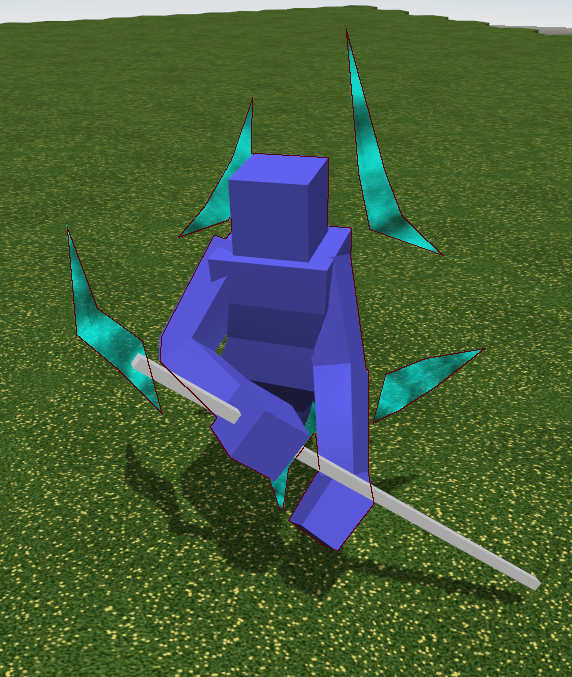
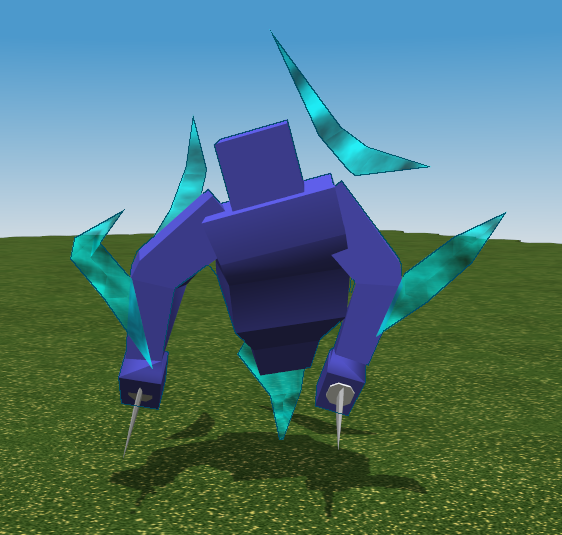
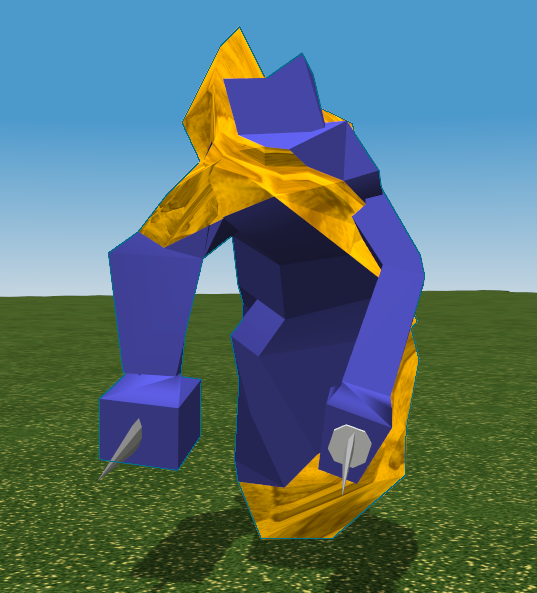
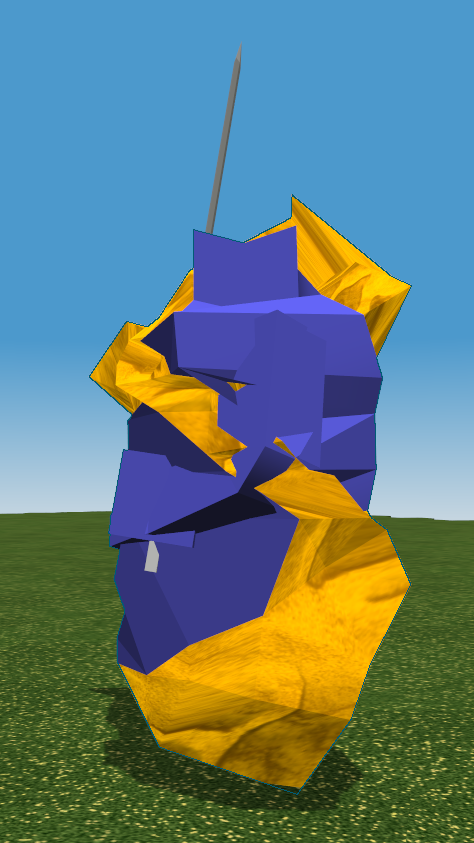
Keep in mind these are differently scaled versions of the elemental skin. Just like with the player's squad members, each unit has a variety of sizing attributes. The various types of elemental have the same parameterization. So yeah, that last one's kinda funny :)
Oh oh, and the Stone and Air bits animate; I didn't record a GIF for you though. Next time.
Saturday, July 18, 2015
Making parameterized ClickOnce installers work
Alright. I spent entirely too long working on this one purpose yesterday. Judging by the state of internet questions on the topic, others have also spent too long working on this one purpose. Since I did end the night with a functioning system, I thought today I would write how I did it.
Two days ago I live streamed development for a short while, and wanted to let people on the stream test the game with me, and give feedback. I've had click-once based installers for years, but I found myself missing a certain feature. I wanted to be able to authenticate users, and be able to selectively enable clients. I wanted to be also able to give out custom URLs to people to download the game from, in a way that modified their installation so that I know which URL the game was installed from. Each installation URL should still self-update normally, however, and I want to be able to get rid of a given URL and authentication easily at a later date.
So this is a story about how to parameterize a click-once installation.
Two days ago I live streamed development for a short while, and wanted to let people on the stream test the game with me, and give feedback. I've had click-once based installers for years, but I found myself missing a certain feature. I wanted to be able to authenticate users, and be able to selectively enable clients. I wanted to be also able to give out custom URLs to people to download the game from, in a way that modified their installation so that I know which URL the game was installed from. Each installation URL should still self-update normally, however, and I want to be able to get rid of a given URL and authentication easily at a later date.
So this is a story about how to parameterize a click-once installation.
Attempt 1: Use query parameters on the installation URL to provide unique data to each installation URL.
My first idea was to write a script on the build server that generated a unique URL for the installer using a unique identifier placed in the query-string. So instead of installing from World/World.exe, the link would be World/World.exe?id=yourcustomidentifier.
This attempt ultimately failed, but in finding that out I solved other related problems, so here were the steps and their problems and solutions:
- Building the unique links turns out to be easy:
- PowerShell scripts can generate Guids by invoking the .NET class libraries as in $authGuid = [guid]::NewGuid().ToString().
- Likewise in MSBuild use the following in a PropertyGroup:
$([System.Guid]::NewGuid()) - Getting the query parameter to be used by ClickOnce is less easy:
- Like many aspects of ClickOnce, it has become obvious that it was not meant to be used by build scripts. Passing the query parameters into the installer requires setting a flag in the application manifest; but there is no means to set this flag using the command-line Manifest Generator (mage). Since we don't want a person involved for every run, UI solutions will not work either. This leaves us with editing the manifest xml ourselves.
- Specifically, we need to add trustURLParameters="true" to the
xml tag in the root of the manifest. - In PowerShell I did this hacky monstrosity:
- (gc <product>.application) -replace '<deployment ','<deployment trustURLParameters="true"' | Out-File -Encoding "UTF8" <product>.application; exit;
- Basically, a string replacement, but take care:
- Problem 1: My build script was not powershell, but rather a batch file! Running powershell from the batch requires careful escaping, and looks like powershell -Command "{above command with escaped quotes}"
- Problem 2: Why the 'exit'? Because powershell was stopping script execution and that seems to fix it.
- Problem 3: Don't forget the -Encoding! My manifest got corrupted and unusable without it. I think it had to do with BOM (Byte order marks).
- Problem 4: Be VERY careful to do this operation BEFORE you do any signing of the application file, obviously signing has to come last.
- Really it's just amazingly painful using mage.exe.
- And now the kicker; This doesn't work!. Why not? Because the links I provide are not to the application, but rather to a bootstrapper Setup.exe that ensure prerequisites are installed, such as the .NET Framework. The bootstrapper does not forward query parameters, which makes sense, it's an EXE, very separate from the URL itself.
Attempt 2: Find some other way to parameterize that is readable during the run of the installed application
- So query parameters are out. What else can be use? The next approach I tried was to encode the identifier into the filename itself. So now the download link would look like World/World-identifierhere.exe.
- This fails for similar reasons as above; This is the filename of the bootstrapper; not the application manifest. ClickOnce provides access to the launch URL in C#, but this does the application URL, not the bootstrapper EXE URL.
- Next attempt: The bootstrapper contains in it the URL of the application; maybe we can add a query-string there and the application will receive it?
- So now we have to make a custom Setup.exe for every user that embeds their identifier; this is surprisingly not that difficult! The Bootstrapper is built using MSBuild, and customizing the URL to include a new Guid is not hard
- But a new problem arises: When I attach a query to the URL, the bootstrapper no longer works automatically: It forwards the user to a webpage to download the application manifest, rather than just installing it! I don't know why! Google didn't help!
- I thought here that I could just make a custom application manifest for every client, but then realized that to maintain automatic updates I would have to forever-after update EVERY single client's installation for every single patch. NO thank you.
Attempt 3 (Success!): Build the user's ID into the username of the URL of the application manifest, when constructing the Bootstrapper EXE
Every attempt at getting data into the application from the bootstrapper failed, EXCEPT adding a username to the URL, which was passed through and available in the C# ApplicationDeployment.CurrentDeployment.ApplicationURI.
Caveat implementor: This URI is only available in the first run, from the bootstrapper! You need to save that identifier somewhere in your application or you'll lose it forever!
So to recap my hopefully final solution:
- Build the application manifest and installation the same as usual.
- Build a unique Bootstrapper EXE for every client authentication token you want to have.
- The bootstrapper's ApplicationUrl needs to include the authentication token inside the username section of the URL.
- Rename the bootstrapper's exe to include the authentication token, to provide a unique URL to give to the user to install.
- When building the bootstrapper, register your authentication with whatever database you have, to be able to track it later.
- In the client application, read from ApplicationDeployment.CurrentDeployment.ApplicationURI.UserInfo, and save the results somewhere permanent.
- Use the authentication token saved to authenticate and identify.
- Later, just delete the custom Setup.EXE when you want to cut off access, and remove the authentication token from your database.
It may not be the prettiest solution, but it works, for now.
Good luck.
Friday, July 17, 2015
Update + LiveStreaming
What's new?
- I'm testing out live streaming at www.livecoding.tv/ventare. It's strangely entertaining, though I admit it isn't terribly good for actually getting work done. On the plus side the few guys that chatted with me last night did help me solve a few bugs that were as of yet undiscovered. I don't know how often I'll do this, but I may find some time tonight if not afterwards.
- I've built a couple new visual effect types, based on the materials system and mesh duplication and offsets. Am using it for some slightly more subtle weapon glows.
- Caravan, the second tutorial scenario, is in progress; the story bit and tutorial bits are written (but need polish), and the actual scenario part has begun, but only just.
- I'm working on authenticated identification of installs, so existing installations will break at some point. I'll be able to supply custom links so that I can deprecate links and authentication codes later.
- I built some meshes in Blender! Specifically I built a skin for the main human mesh, the elemental default mesh, and specific multimaterial meshes for flame and stone elementals. Eirikr's weapons are getting UV coordinates as well, when I find time.
- I did a pass over sound effects a few weeks ago; they are better but not thoroughly better.
- I implemented a means for the server to instruct the client to do a spline-based camera flyby, useful for tutorial and cinematic sections.
Sunday, June 28, 2015
Just some pics
The last couple months have been full of important updates to the game with absolutely nothing visible to show for it. It's somewhat depressing :p
So here's a couple pics from something actually visible.
New Flame Elemental Skin, version 1
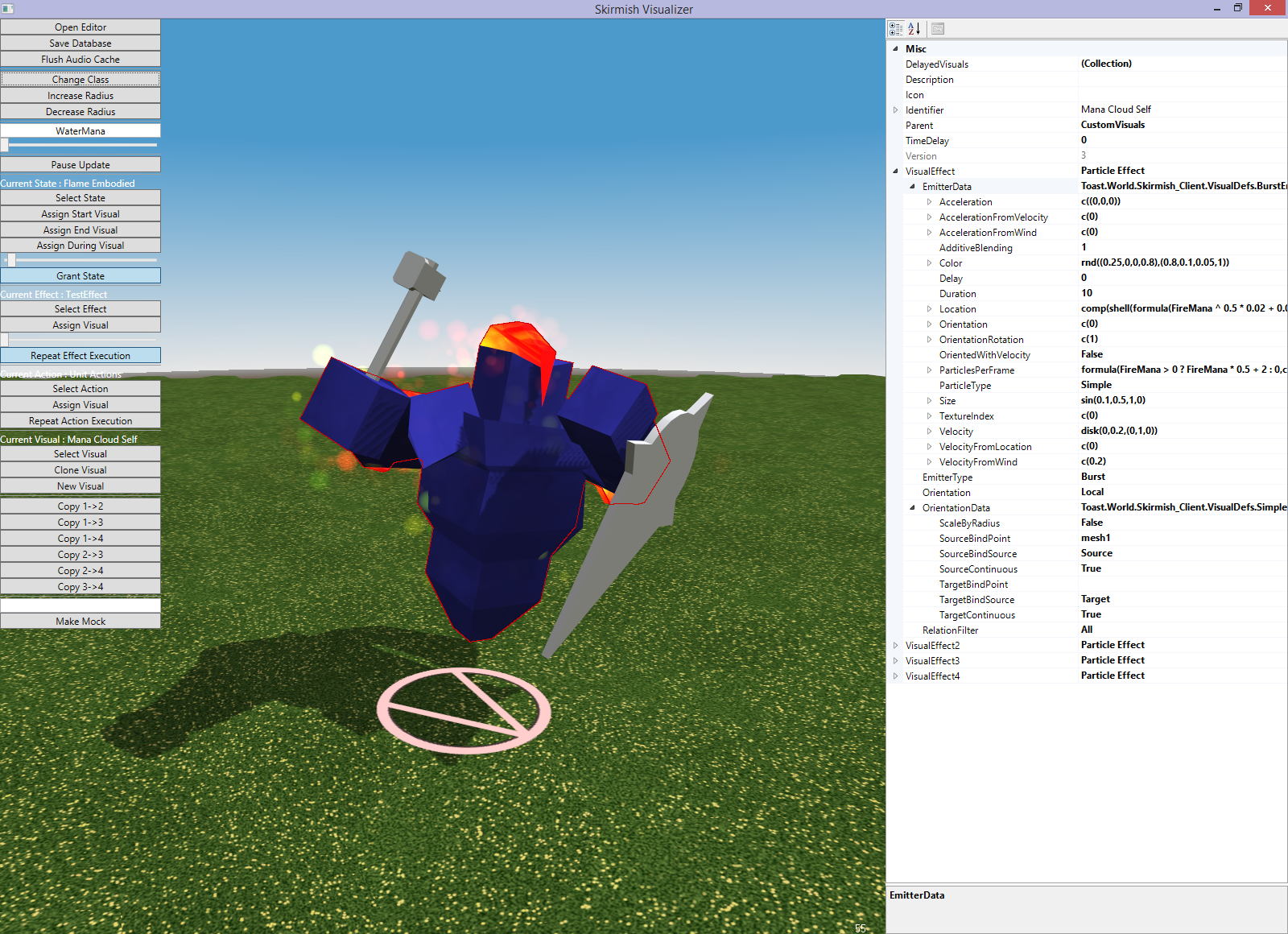
Angle 2
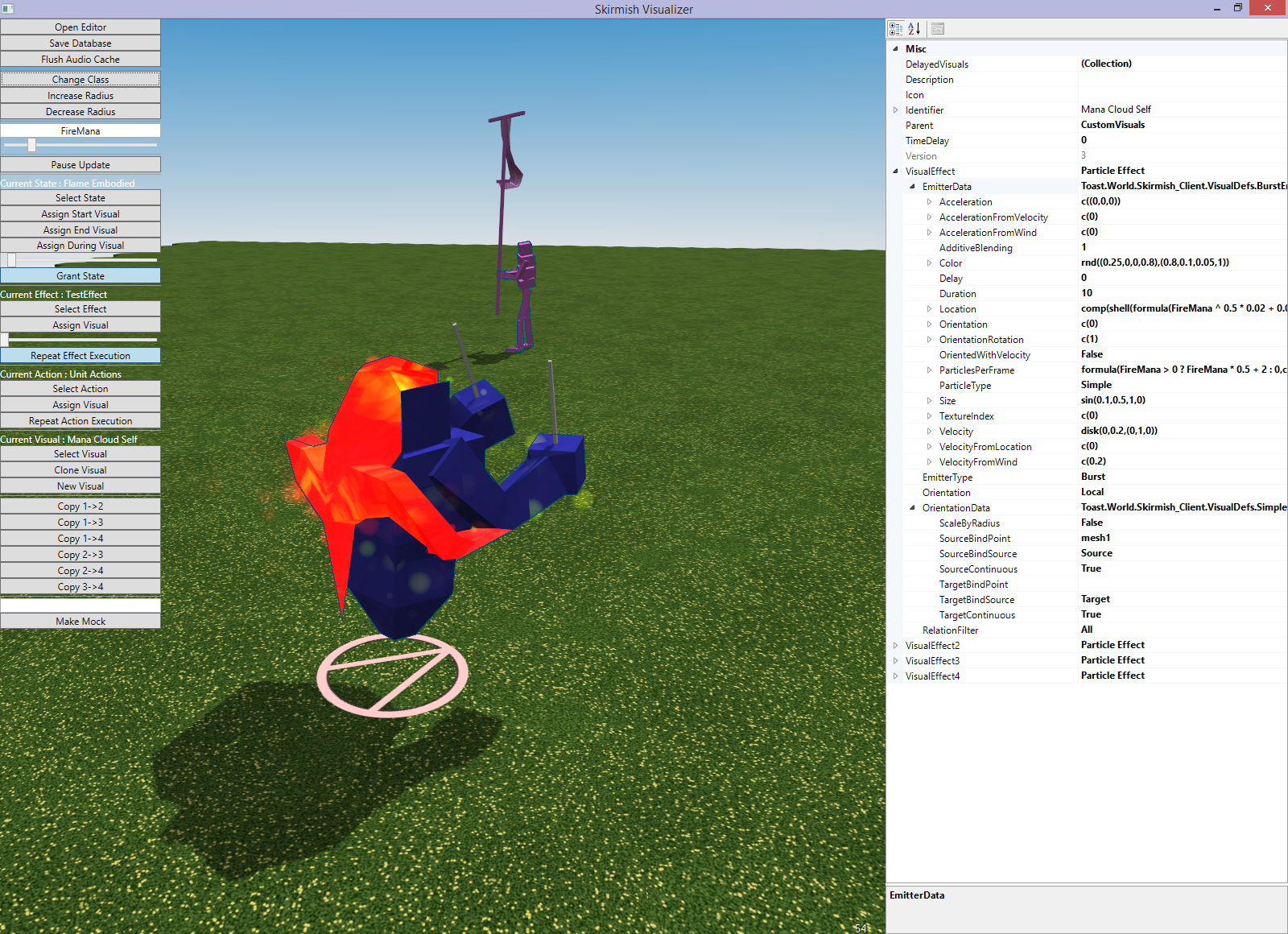
Angle 3
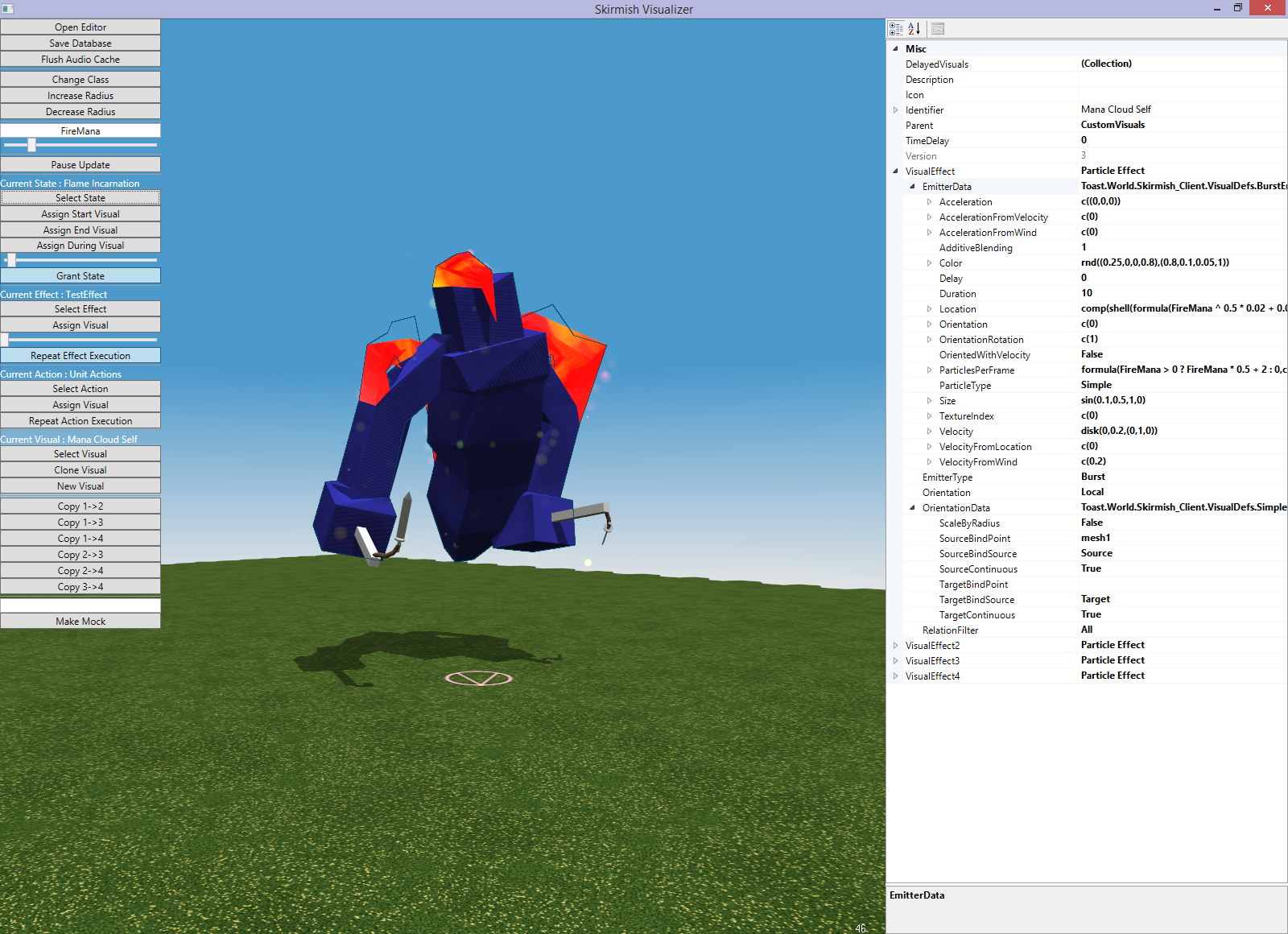
That's it for now. I'll do a thorough update when my head's less hurty.
Tuesday, April 21, 2015
Caravan Sculpting
Quick update here!
The tutorial revamp with new tech is complete. I did one sound pass (many more needed), added music queues, explosions from space, changed the ending section logic to work with the new terrain mana skills, and added some other fluff in other sections to make it a better experience.
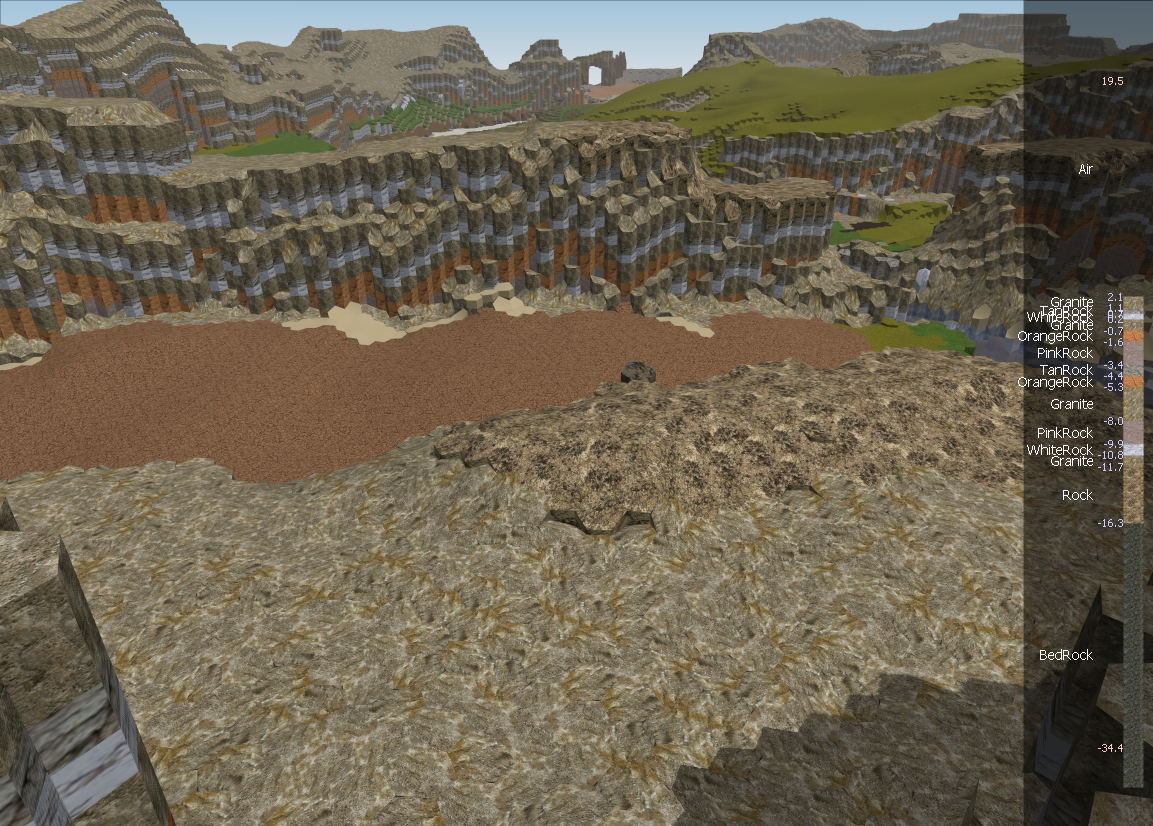
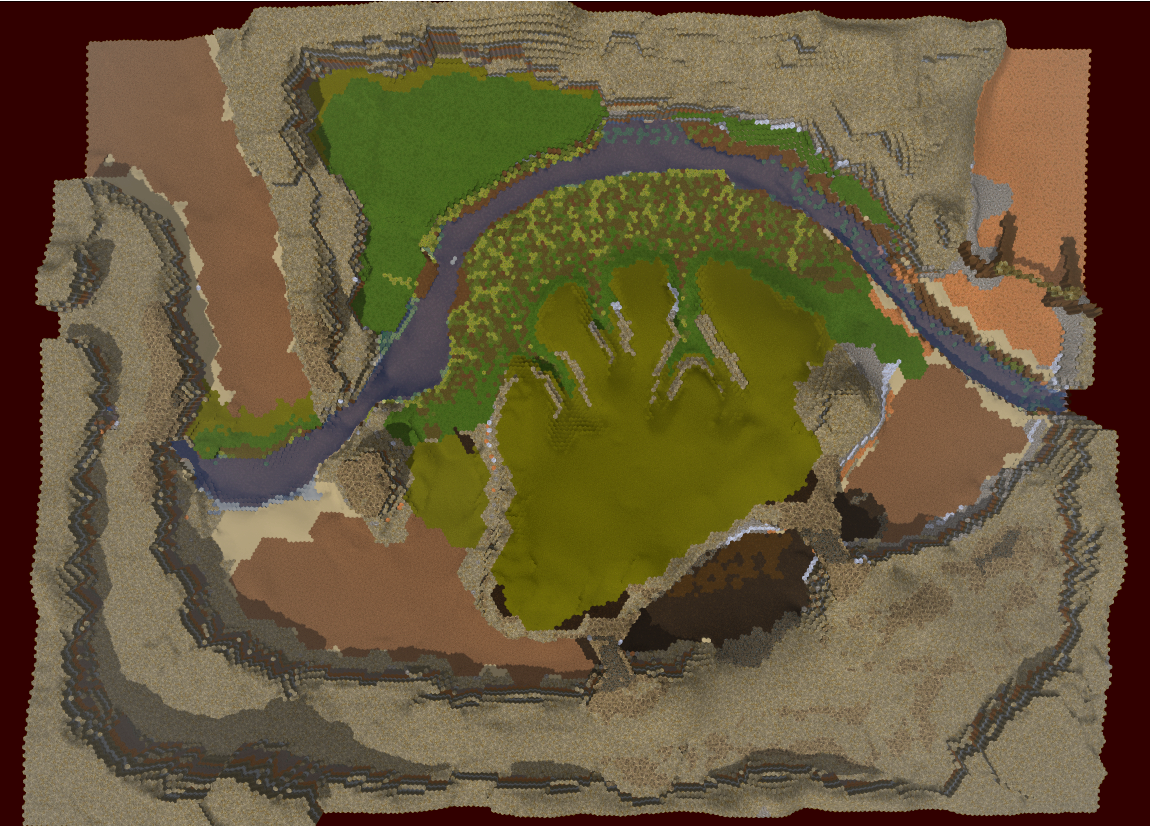
Caravan work is beginning in earnest! I built some new editor tools to alleviate some of the pain; namely, a flood fill terrain painter, a growing sphere-based sculpting tool, and a visualizer for a layer column so we can see how deep the materials really go, and what is down there.
Here are some new Caravan pics :)
http://redtoast.net/Images/Blog/CaravanEditor1/StartView.png
http://redtoast.net/Images/Blog/CaravanEditor1/DownRiver.png
The tutorial revamp with new tech is complete. I did one sound pass (many more needed), added music queues, explosions from space, changed the ending section logic to work with the new terrain mana skills, and added some other fluff in other sections to make it a better experience.
Caravan work is beginning in earnest! I built some new editor tools to alleviate some of the pain; namely, a flood fill terrain painter, a growing sphere-based sculpting tool, and a visualizer for a layer column so we can see how deep the materials really go, and what is down there.
Here are some new Caravan pics :)
http://redtoast.net/Images/Blog/CaravanEditor1/StartView.png
http://redtoast.net/Images/Blog/CaravanEditor1/DownRiver.png

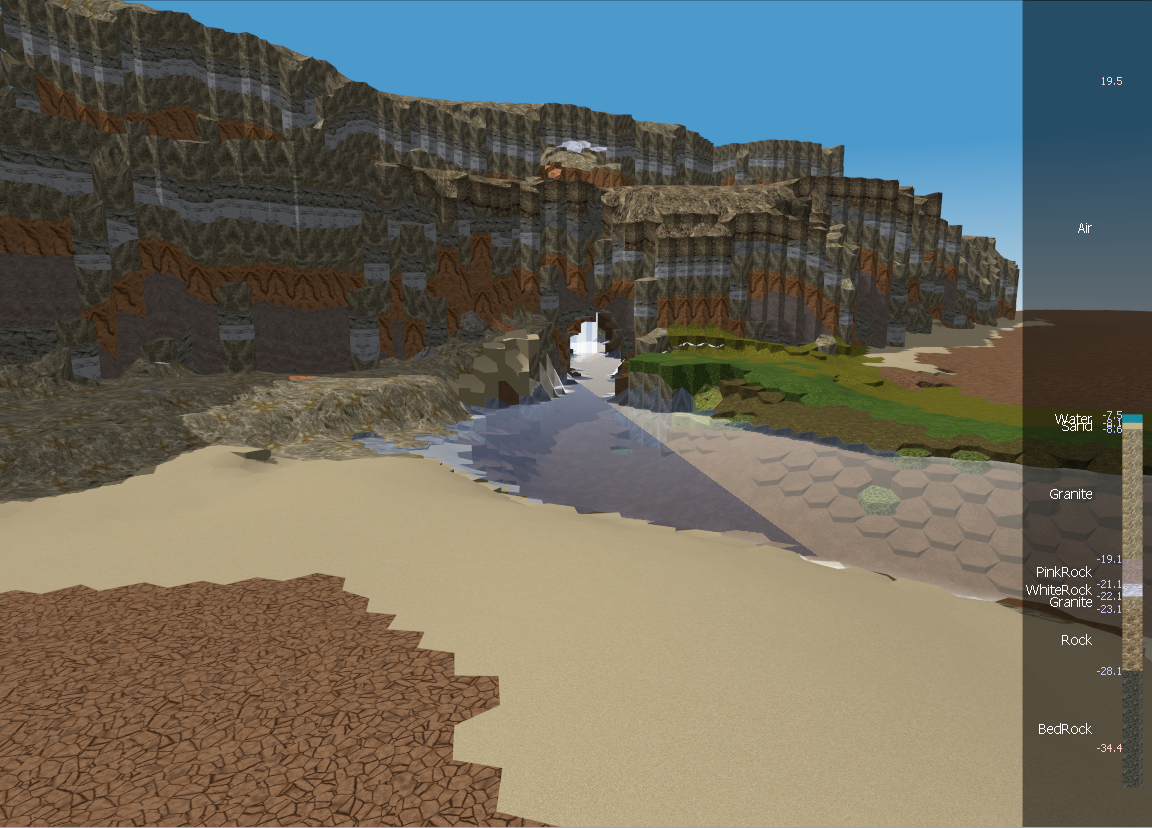
http://redtoast.net/Images/Blog/CaravanEditor1/RiverFord.png
http://redtoast.net/Images/Blog/CaravanEditor1/RockCanyon.png
http://redtoast.net/Images/Blog/CaravanEditor1/MudGate.png
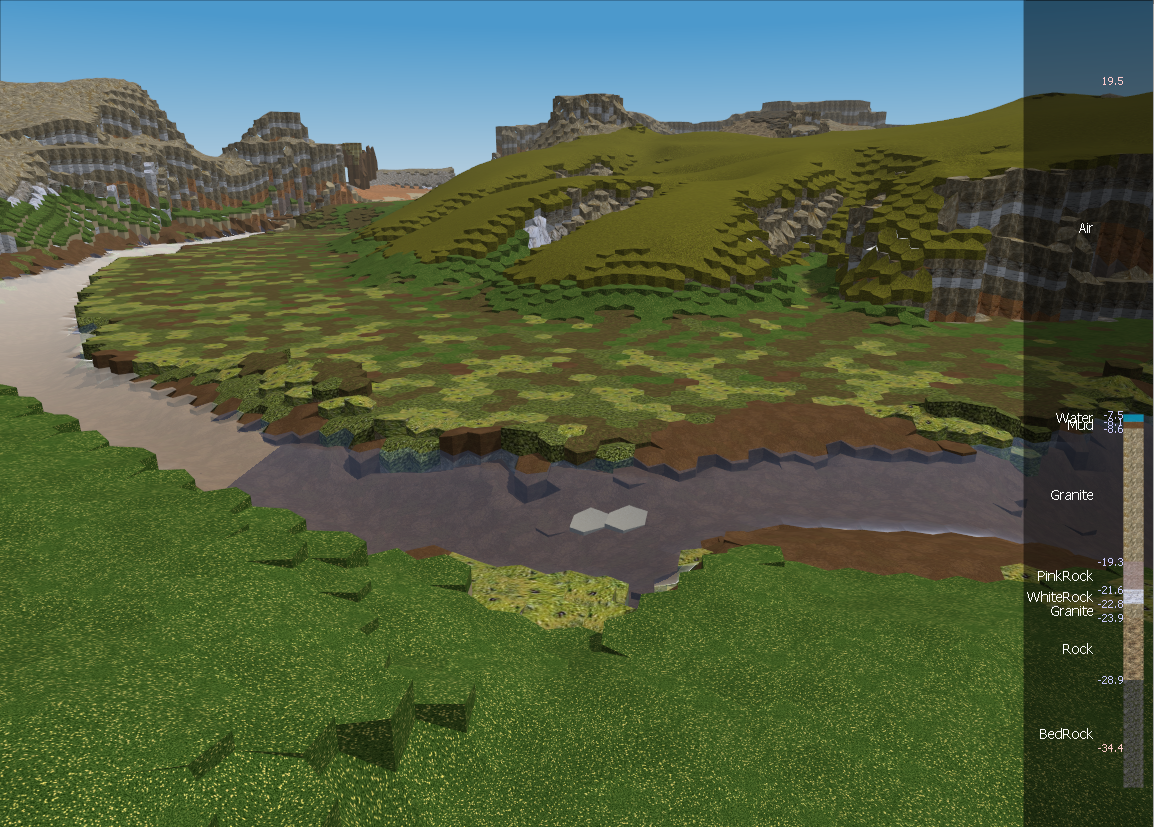
http://redtoast.net/Images/Blog/CaravanEditor1/RockCanyon.png
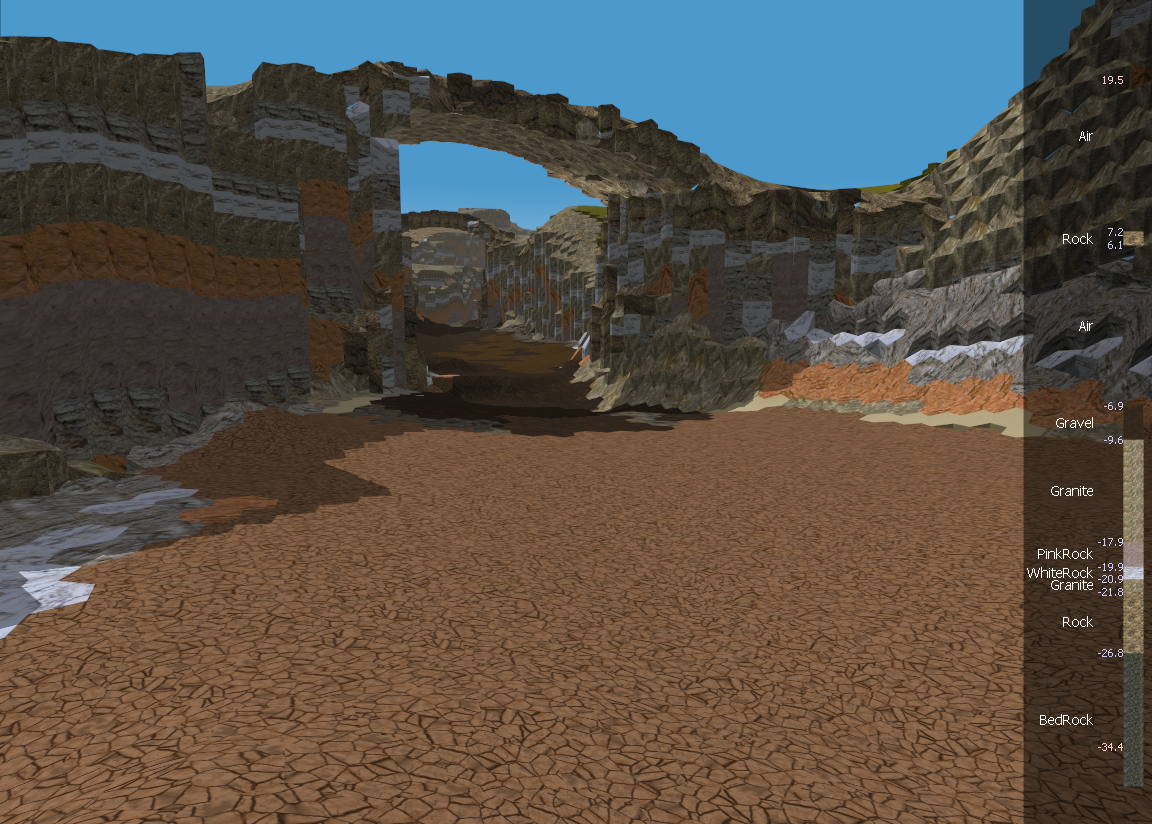
http://redtoast.net/Images/Blog/CaravanEditor1/MudGate.png
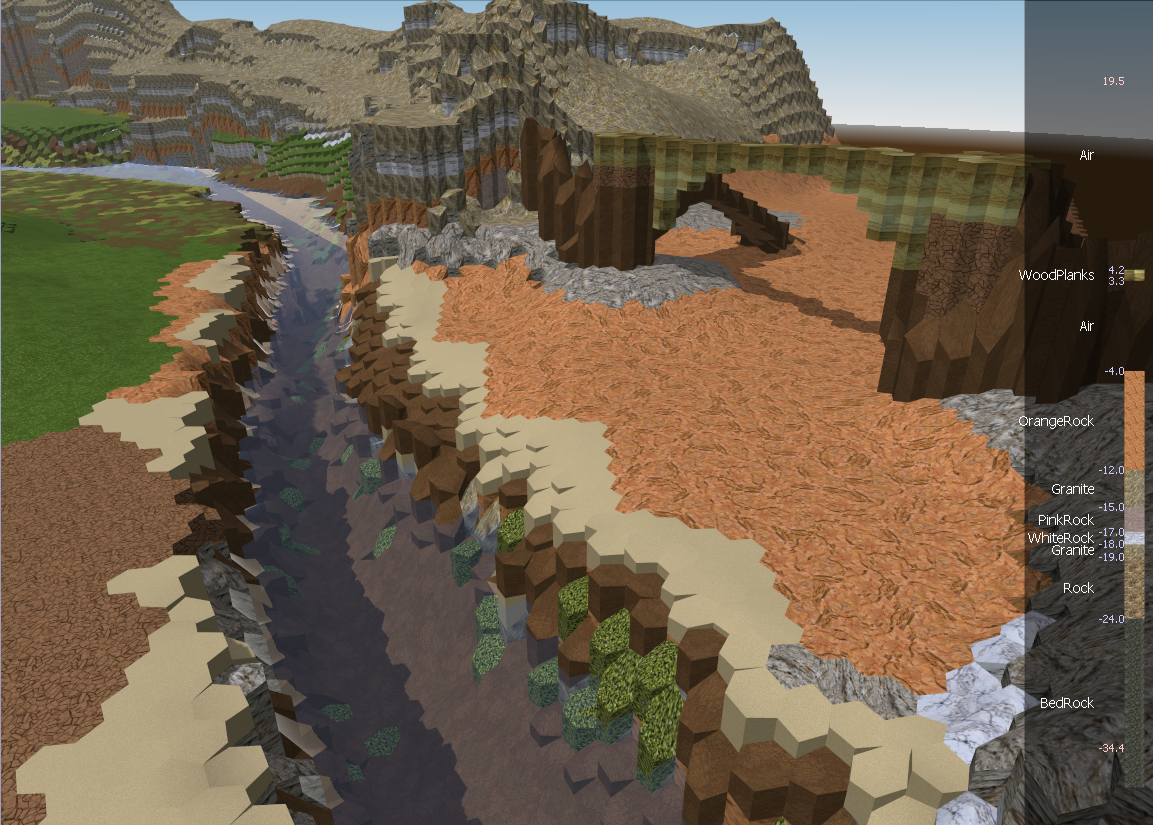
Monday, April 6, 2015
2 new tracks
Did some new piano recording with the new microphone. It's not the most inspired work but it's alright:
w_tut_first_main.mp3
w_com2.mp3
Let me know if you think the recording quality is any improved. I personally think it's a lacking a bit in the bass department, so I'll adjust the mic setup next time to try and capture more of the low ranges.
Both recordings have some note misses that are obvious to me and a bit painful; not the best session I've ever had, but people tell me not to worry about that sort of thing and to record anyway :) :p
w_tut_first_main.mp3
w_com2.mp3
Let me know if you think the recording quality is any improved. I personally think it's a lacking a bit in the bass department, so I'll adjust the mic setup next time to try and capture more of the low ranges.
Both recordings have some note misses that are obvious to me and a bit painful; not the best session I've ever had, but people tell me not to worry about that sort of thing and to record anyway :) :p
Tuesday, March 24, 2015
Wednesday, March 18, 2015
On Programming Languages and Complexity
It's been awhile since I ranted a bit on programming methods. I've had some thoughts on languages recently that I want to write down to help solidify. Bear with me or skip this if languages aren't your thing.
In college I was taught in Java, with a bit of C, and even less of other languages like Python, ML, Prolog. I and Tristan learned C++ to write our first game. Later I took more software engineering courses and learned some new patterns for complicated projects. I wrote a pile of libraries in C++ and got a pretty good handle on it. At Bunkspeed I continued with C++ but we pretty quickly replaced that with C#, which I worked with from version 1.1 until I left. World has been almost entirely C# since its inception in 2007. Now for work I'm working with C++ again, now for approaching 2 years.
So I have a pretty good comparison now of C++ and C#, both used for larger codebases. Bunkspeed's main product was pushing 600k, my current work is around 1M, and the World project is around 150k. I admit I do have better experience in C#; I try to keep that in mind.
I firmly believe that what you can do in one you can do in the other. The limitations of both can be circumvented to achieve the same ends.
C# has the reputation of being slow, and the problem of being single platform and having a harder time interacting with 3rd party libraries (which are usually native). The slowness problem I think is a red herring; optimizing is usually done at the algorithmic level, which is indifferent to language. The GC and memory management can be controlled if you desperately need to, but honestly you do not. .NET Native coming out soon should alleviate the rest of whatever performance issues exist. The single-platform issue is improving with Mono and recent C# changes announced by Microsoft. The third party library issue is more complicated and I don't know of a good solution. P/Invoke is not a good solution, nor is C++/CLI.
C++ has the reputation of being fast and powerful, but complex, low-level and imprecise. The low-level issue can be resolved by writing code within C++ to add high-level features. C++ code MUST manage memory, and so large C++ codebases MUST write something to track pointers and allocations. In the end these systems approximate garbage collection, and they work. By 'imprecise', I mean that there are often unanswerable questions, the answers for which are not apparent immediately in the code. The size of pointers and integers, the nature of strings, how 'out' parameters are passed, naming conventions, includes ordering, namespace management, smart-pointer management, etc. All of these things have to be handled in some way by the programmer. And they can be with great grace and power, but they must be handled.
Herein lies my point. C#'s failings are fixed by external structure. C++'s failings are fixed by internal structure.
The upper limit of manageable complexity in C++ is lower, because some of that manageable complexity is ubiquitous and cannot be ignored. When writing in a large C++ codebase, you cannot forget about the internal structures that handle C++'s limitations. Every last line needs additional consideration as you ponder string encodings and which of 6 ways to declare your pointers (smart, shared, dumb, reference, constness, etc...).
The upper limit of manageable complexity is higher in C# than in C++, because when the structure becomes more complicated, the code does not. The complexity is managed in a parallel way, a way that does not impact the programmer when trying to read and understand a lone function.
Maybe with time I'll be able to background the necessary considerations in C++ and be able to acheive similar productivity. Or maybe I'm just spoiled by the cleanliness of C# lambdas, extensions, and continuations. The only thing to do is to try and see if I can get there. Tsuyoku Naritai indeed.
In college I was taught in Java, with a bit of C, and even less of other languages like Python, ML, Prolog. I and Tristan learned C++ to write our first game. Later I took more software engineering courses and learned some new patterns for complicated projects. I wrote a pile of libraries in C++ and got a pretty good handle on it. At Bunkspeed I continued with C++ but we pretty quickly replaced that with C#, which I worked with from version 1.1 until I left. World has been almost entirely C# since its inception in 2007. Now for work I'm working with C++ again, now for approaching 2 years.
So I have a pretty good comparison now of C++ and C#, both used for larger codebases. Bunkspeed's main product was pushing 600k, my current work is around 1M, and the World project is around 150k. I admit I do have better experience in C#; I try to keep that in mind.
I firmly believe that what you can do in one you can do in the other. The limitations of both can be circumvented to achieve the same ends.
C# has the reputation of being slow, and the problem of being single platform and having a harder time interacting with 3rd party libraries (which are usually native). The slowness problem I think is a red herring; optimizing is usually done at the algorithmic level, which is indifferent to language. The GC and memory management can be controlled if you desperately need to, but honestly you do not. .NET Native coming out soon should alleviate the rest of whatever performance issues exist. The single-platform issue is improving with Mono and recent C# changes announced by Microsoft. The third party library issue is more complicated and I don't know of a good solution. P/Invoke is not a good solution, nor is C++/CLI.
C++ has the reputation of being fast and powerful, but complex, low-level and imprecise. The low-level issue can be resolved by writing code within C++ to add high-level features. C++ code MUST manage memory, and so large C++ codebases MUST write something to track pointers and allocations. In the end these systems approximate garbage collection, and they work. By 'imprecise', I mean that there are often unanswerable questions, the answers for which are not apparent immediately in the code. The size of pointers and integers, the nature of strings, how 'out' parameters are passed, naming conventions, includes ordering, namespace management, smart-pointer management, etc. All of these things have to be handled in some way by the programmer. And they can be with great grace and power, but they must be handled.
Herein lies my point. C#'s failings are fixed by external structure. C++'s failings are fixed by internal structure.
The upper limit of manageable complexity in C++ is lower, because some of that manageable complexity is ubiquitous and cannot be ignored. When writing in a large C++ codebase, you cannot forget about the internal structures that handle C++'s limitations. Every last line needs additional consideration as you ponder string encodings and which of 6 ways to declare your pointers (smart, shared, dumb, reference, constness, etc...).
The upper limit of manageable complexity is higher in C# than in C++, because when the structure becomes more complicated, the code does not. The complexity is managed in a parallel way, a way that does not impact the programmer when trying to read and understand a lone function.
Maybe with time I'll be able to background the necessary considerations in C++ and be able to acheive similar productivity. Or maybe I'm just spoiled by the cleanliness of C# lambdas, extensions, and continuations. The only thing to do is to try and see if I can get there. Tsuyoku Naritai indeed.
Tuesday, March 17, 2015
Mana Manipulation (and Videos!)
At the tail of the last post, I said that the incendence system and environmental magic were next. Guess what! It was next. It was complicated, but it is working and it is good :)
Let's break this down and make some new video clips.
So. Environmental Magic. This is a system designed to let the player change the terrain. We already had (somewhat stable) terrain changes, but the nature of those changes is quite a bit different from the new system. A few of the old-style changes included the bridge builder (featured at the end of the tutorial, and on Outpost), and a couple hacky commander skills that no one but I used. These will be gone soon. A second set of old-style changes are the elemental impacts system, which will be staying. It compliments the new system nicely, and will be used for non-mana manipulation skills. Any explosions or active flames and whatnot will still use the old impacts system, which works well.
The new system is built specifically to give the skills to the player. To that end it has to be limited and controlled enough to prevent the player from abusing the skills to absurd extent. Honestly letting the player arbitrarily change the terrain is a terrible idea if you want to control the gameplay. The fact we're trying this at all is a testament to pushing boundaries that oughtn't be attempted. The payoff of course, is that no one else has really succeeded in giving this style of control, so if we do succeed to any extent with it it's a mark in our favor.
So anyway, the limiters. The new system is pretty much entirely based on the concept of conservation of energy. The energy in this case is not potential, nor kinetic, nor chemical, it's just Mana. Every type of material has a mana density; how much mana they contain per unit volume. Mana, by the way, comes in 4 forms, as per classical elements. Mana is conserved. From this concept we defined 5 basic operations, which are pieced together to build the actual skills.
First is extract; this takes a chunk of material and converts it into a less mana-dense form, while preserving overall mana. The net effect is that new material volume is created, but it is less mana-dense.
Second is draw; this is very similar to extract, except instead of creating new volume, the excess mana is absorbed into the caster, stored and usable later. The net effect is that material is converted to weaker types in the local area.
Third is infuse; this is the opposite of draw; mana is pushed into materials, converting them to more mana-dense forms without change in volume.
Fourth is compress; which is the analogue of extract to draw for infuse. Compress reduces overall volume when converting to more mana-dense forms.
Last is shift; which just moves a chunk of mana from one location to another.
Each has some mana cost; small but important.
The nature of these is that mana is conserved or lost. This enforces that things do not get too crazy on the map; There's a limit to what can be generated; implied by the original amount of mana present. If we build a map to play on that consists entirely of sand (a very low-mana material), then that by itself completely removes any possibility of manipulation. There simply isn't enough mana to do anything with. The density also limits any volume changes. The total mana of a bridge's material has to be put into the bridge to construct it, and that mana (plus expenses) has to come from somewhere.
After that we added more limiters. Extractions and Infusions and Shifts have an overall power requirement, per material. Granite is hard to work with; extra skill is required to work with it. Likewise at the bottom of the earth-spectrum, sand is complicated. This limits the player in where he can manipulate the terrain, but in a graphically obvious way that can be played around.
Then after that we have to manage reach; how far the operations can work through the ground. I invited the concept of mana-pressure; how much pressure the manipulator can exert on the terrain. Pressure travels out through the materials using a conductivity calculation that depends on their mana density. Earth pressure reaches further through earth-aligned materials, for example. This conductivity is fairly unbalanced; so reach will fall along aligned conduits in the ground, potentially extending total range in the right circumstances. You could even generate explicit lines of high conductivity material to control how the mana flow is directed.
How about some visuals?
Here's the first version of the Mana Manipulation skill tree.
And here are short videos for the various new skills in action:
Mana Draw (Pulling mana from the grass and dirt, turning it into lesser rocks. The first outward pulse represents the mana pressure, that is, the effective range of the draw force)
Mana Infuse (Pushing mana into dry mud and mud, turning into mud and dirt, then running out of mana)
Mana Extract (Extracting Gravel from Shale, and Sand from Gravel, to produce a column of material at distance)
Mana Wall Construction (Drawing a line in the ground, then infuse/extract/shift to move it into a wall shape)
Mana Bridge Construction (1) (Extract/Shifting a bridge out of the ground)
Mana Bridge Construction (2) (Building a second bridge from less dense materials. You can see that sand is getting used at the end of the bridge, since the source area is running out of mana-dense materials. This bridge could not get much longer, and when physics is written, the sand would fall out of it)
Mana Shift-Smoothing (Using Shift to smooth out the surrounding area, making it traversible)
Hope you enjoyed!
Next time I'll talk about Incitement and Incendence. It is currently WIP, maybe halfway through implementation.
Let's break this down and make some new video clips.
So. Environmental Magic. This is a system designed to let the player change the terrain. We already had (somewhat stable) terrain changes, but the nature of those changes is quite a bit different from the new system. A few of the old-style changes included the bridge builder (featured at the end of the tutorial, and on Outpost), and a couple hacky commander skills that no one but I used. These will be gone soon. A second set of old-style changes are the elemental impacts system, which will be staying. It compliments the new system nicely, and will be used for non-mana manipulation skills. Any explosions or active flames and whatnot will still use the old impacts system, which works well.
The new system is built specifically to give the skills to the player. To that end it has to be limited and controlled enough to prevent the player from abusing the skills to absurd extent. Honestly letting the player arbitrarily change the terrain is a terrible idea if you want to control the gameplay. The fact we're trying this at all is a testament to pushing boundaries that oughtn't be attempted. The payoff of course, is that no one else has really succeeded in giving this style of control, so if we do succeed to any extent with it it's a mark in our favor.
So anyway, the limiters. The new system is pretty much entirely based on the concept of conservation of energy. The energy in this case is not potential, nor kinetic, nor chemical, it's just Mana. Every type of material has a mana density; how much mana they contain per unit volume. Mana, by the way, comes in 4 forms, as per classical elements. Mana is conserved. From this concept we defined 5 basic operations, which are pieced together to build the actual skills.
First is extract; this takes a chunk of material and converts it into a less mana-dense form, while preserving overall mana. The net effect is that new material volume is created, but it is less mana-dense.
Second is draw; this is very similar to extract, except instead of creating new volume, the excess mana is absorbed into the caster, stored and usable later. The net effect is that material is converted to weaker types in the local area.
Third is infuse; this is the opposite of draw; mana is pushed into materials, converting them to more mana-dense forms without change in volume.
Fourth is compress; which is the analogue of extract to draw for infuse. Compress reduces overall volume when converting to more mana-dense forms.
Last is shift; which just moves a chunk of mana from one location to another.
Each has some mana cost; small but important.
The nature of these is that mana is conserved or lost. This enforces that things do not get too crazy on the map; There's a limit to what can be generated; implied by the original amount of mana present. If we build a map to play on that consists entirely of sand (a very low-mana material), then that by itself completely removes any possibility of manipulation. There simply isn't enough mana to do anything with. The density also limits any volume changes. The total mana of a bridge's material has to be put into the bridge to construct it, and that mana (plus expenses) has to come from somewhere.
After that we added more limiters. Extractions and Infusions and Shifts have an overall power requirement, per material. Granite is hard to work with; extra skill is required to work with it. Likewise at the bottom of the earth-spectrum, sand is complicated. This limits the player in where he can manipulate the terrain, but in a graphically obvious way that can be played around.
Then after that we have to manage reach; how far the operations can work through the ground. I invited the concept of mana-pressure; how much pressure the manipulator can exert on the terrain. Pressure travels out through the materials using a conductivity calculation that depends on their mana density. Earth pressure reaches further through earth-aligned materials, for example. This conductivity is fairly unbalanced; so reach will fall along aligned conduits in the ground, potentially extending total range in the right circumstances. You could even generate explicit lines of high conductivity material to control how the mana flow is directed.
How about some visuals?
Here's the first version of the Mana Manipulation skill tree.
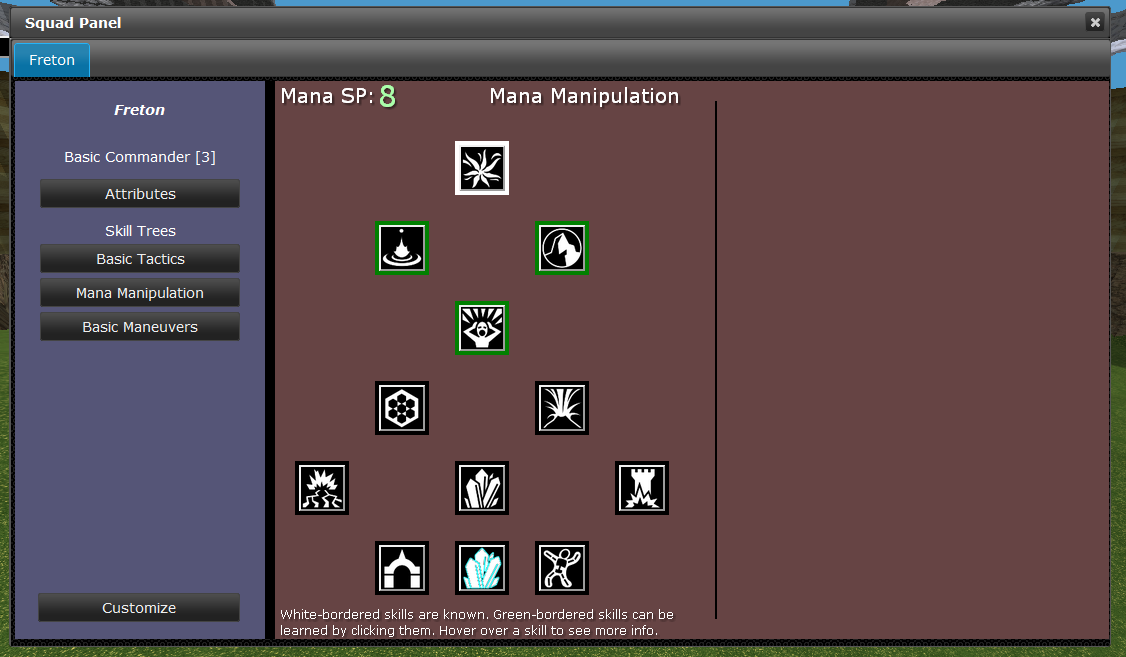
And here are short videos for the various new skills in action:
Mana Draw (Pulling mana from the grass and dirt, turning it into lesser rocks. The first outward pulse represents the mana pressure, that is, the effective range of the draw force)
Mana Infuse (Pushing mana into dry mud and mud, turning into mud and dirt, then running out of mana)
Mana Extract (Extracting Gravel from Shale, and Sand from Gravel, to produce a column of material at distance)
Mana Wall Construction (Drawing a line in the ground, then infuse/extract/shift to move it into a wall shape)
Mana Bridge Construction (1) (Extract/Shifting a bridge out of the ground)
Mana Bridge Construction (2) (Building a second bridge from less dense materials. You can see that sand is getting used at the end of the bridge, since the source area is running out of mana-dense materials. This bridge could not get much longer, and when physics is written, the sand would fall out of it)
Mana Shift-Smoothing (Using Shift to smooth out the surrounding area, making it traversible)
Hope you enjoyed!
Next time I'll talk about Incitement and Incendence. It is currently WIP, maybe halfway through implementation.
Friday, January 16, 2015
Over the holidays
Time was limited of course, with moving, buying a house, selling a house, and holidays, but nonetheless a small update is in order:
- Revamped (rewritten entirely) Chat system
- We once again have an OpenFire XMPP server running on the uni server. Accounts are created by the server to match universe accounts, and some chat channels are running.
- The chat UI was rebuilt and is substantially more functional! It runs in the bottom center of the game now, has autocomplete for commands, and supports whispers, say (in game speech), channels (global exists right now, later others), and custom commands (who, reloadui, etc). It's somewhat nicely styled to allow scrolling but not get too much in the way of the camera. As always polish will improve over time as annoyances show up.
- Whispers in chat communicate via direct message in XMPP, without the game server being a part of it at all. So you can, in fact, use any other XMPP client to join the global channel or be online for whispers (and whisper back).
- Server stability
- Did a bit of work on the server to prevent some weird hangs, we'll see if it works, but so far so good.
- Dynamic reloading
- The client can now reload the ui, reload assets, etc.
- It can also be run in a mode where it monitors the client database file, and if it changes, reloads it dynamically and reloads the zone. It makes updating visual effects fairly seamless. I can keep the visualizer open while a game is playing, save from the visualizer, and the new effects appear in 4 or 5 seconds.
- Incremental database building
- The old build from google docs for the majority of the game data would destroy everything it built previously, and build it all back up every time. I moved to an incremental approach based on the last editted timestamp of the document, so it is much much faster.
- We also have a polling system for updates :)
- It also can update live while the zone runs, swapping in changes on the fly :)
- So basically you can run a local zone and a debug client set up to automatically pull changes from the database, compile them and establish them in game in 10 seconds. This should make the editting process way way way faster. The old reload/test cycle was 3 or 4 minutes at best, the new is 10 seconds. BEHOLD progress.
That's that. Next on the docket is the incendence system and the elemental skills update, for which the above were written. And then after that finally back to scenarios :)
Monday, November 17, 2014
Next Phase Completion!
Since the UI overhaul mentioned last time, I've been working on some graphics stuff, and can happily now say that it is complete, and kinda nifty!
- We now have a geometry and material pipeline of sorts.
- Basically I wrote a tool that can process geometry, tweak it, reorient it, and kick it back out into a custom format for World.
- I also wrote a materials and shader system to go along with it. It works for straight meshes and character rigs. The geometry processor can apply materials too.
- The new file loads as a new type 'Model' rather than 'Mesh', so lots of the existing code has to migrate to Models (which have materials). But that's done and good so props and stuff can have materials.
- We now have a skinner.
- Another tool that takes a rig and a model, and lets the user apply vertices to a rig joint, then preprocesses the whole thing to be used by the character skinning engine.
- Both the Skin and Model processor are built off of my Froge and Scene libraries, which are maturing nicely. Froge is a C# <-> JS engine to build up easy UIs. It's terrible if you care what it looks like, but it has native support for most stuff I need for a tester or light tool. The scenes just manage a simple display loop with a built in Awesomium frontend, with Froge attached.
- We now have a turtle!
- Max's turtle obj has been model-ified, rigged and skinned, and a small set of animations sculpted. It's kind of neat, and it opens the way for more textured and modelly characters.
- We have a new display system for Morale!
- Since all the display and material and skin code changed, and now characters are rendered with materials, the special case morale-borders is gone.
- So I built a new multi-pass setup for showing outlines for units, that glow based on the unit morale. I also added a sort of upward and downwards flow to the outline based on the way morale is changing over time. It's lots more subtle than the old way, but it's lots cleaner and I think much better
Here're some clips!
Yay turtles :)
Friday, October 24, 2014
UI Overhaul phase 1 complete!
Long and hard was the road fought, but the squad panel is complete (for now at least), and I can move on to something else :p
Take a look! http://redtoast.net/SkirmishUI/Squad/TestSquadPanel.htm
Like the formation panel ui from the prior update it can also be interacted with straight in a browser. A lot of the resources may be missing; icons and state/skill/action definitions mostly.
Grar!
Take a look! http://redtoast.net/SkirmishUI/Squad/TestSquadPanel.htm
Like the formation panel ui from the prior update it can also be interacted with straight in a browser. A lot of the resources may be missing; icons and state/skill/action definitions mostly.
Grar!
Wednesday, September 17, 2014
New panels, Web UI development
Hi :)
So the last week or so has been taken up by rebuilding the formation editting panel. Since we've been moving our UI frontend code to web tech through Awesomium, this means learning a whole bunch of new technologies to manage it. And since I'm new at these sorts of languages, it also means constant retuning and rebuilding of the code. Now that's it's a little more stable I wanted to talk about it some.
First, one of the big advantages of using the web-style frontend, is that you can use it in a browser! So, here's the new panel! Go take a look!
Commander Formation Panel Tester
This thing here is built using a pile of stuff a learned recently:
So the last week or so has been taken up by rebuilding the formation editting panel. Since we've been moving our UI frontend code to web tech through Awesomium, this means learning a whole bunch of new technologies to manage it. And since I'm new at these sorts of languages, it also means constant retuning and rebuilding of the code. Now that's it's a little more stable I wanted to talk about it some.
First, one of the big advantages of using the web-style frontend, is that you can use it in a browser! So, here's the new panel! Go take a look!
Commander Formation Panel Tester
This thing here is built using a pile of stuff a learned recently:
- Javascript, of course, since the web runs on javascript. I don't have all that much javascript experience in the past, so there was certainly some learning. The first set of UIs, which have been in the game's main menus for a year or so, use JS of course, but there's good JS, and bad JS, and those menus are... bad JS...
- TypeScript: I admit it, I'm only comfortable programming in primarily statically typed languages. Typescript is a nice balance between typing and javascript. While it took a bit to learn how to use it properly, since you have to compile it into JS, it's been a noticable improvement for me personally.
- Handlebars: Handlebars is a templating system to build HTML docs (or JS I suppose) from JS data. My standard coding methodology is to break things down into pieces, yes? HTML/JS/CSS don't really let you do that. Using handlebars to break the HTML bits into pieces gets me some of the way there. Most of the pages I build now use a few templates. Recently I started keeping them in separate files, loaded dynamically when needed.
- HTML5 Canvas: The main interactive area of the formation panel is displayed with canvas. Turns out that coding to canvas is a lot like using a super-primitive 2D version of OpenGL. Piece of cake :)
- JQuery / JQuery UI: JQuery of course is largely requisite for some kinds of JS development. I know it's not truly necessary and that there are other options, but I don't have a personally compelling reason to switch. JQuery UI is a bit of a different beast. We use it mostly to set up buttons with consistent styles, tabs, sliders, checkboxes, and other core UI elements. I'm not sold on it, but it does seem to work well enough so far.
So mercifully the frontend code is becoming less of a mess. With other bugs getting fixed in the game's UI management, we may actually be getting somewhere on having a reasonable UI toolkit.
Took long enough, eh?
Next task is the commander panel; skills and classes and customization. It used to sound like an impossible task, but I'm beginning to think it won't be so terrible. Will find out soon :)
Friday, August 29, 2014
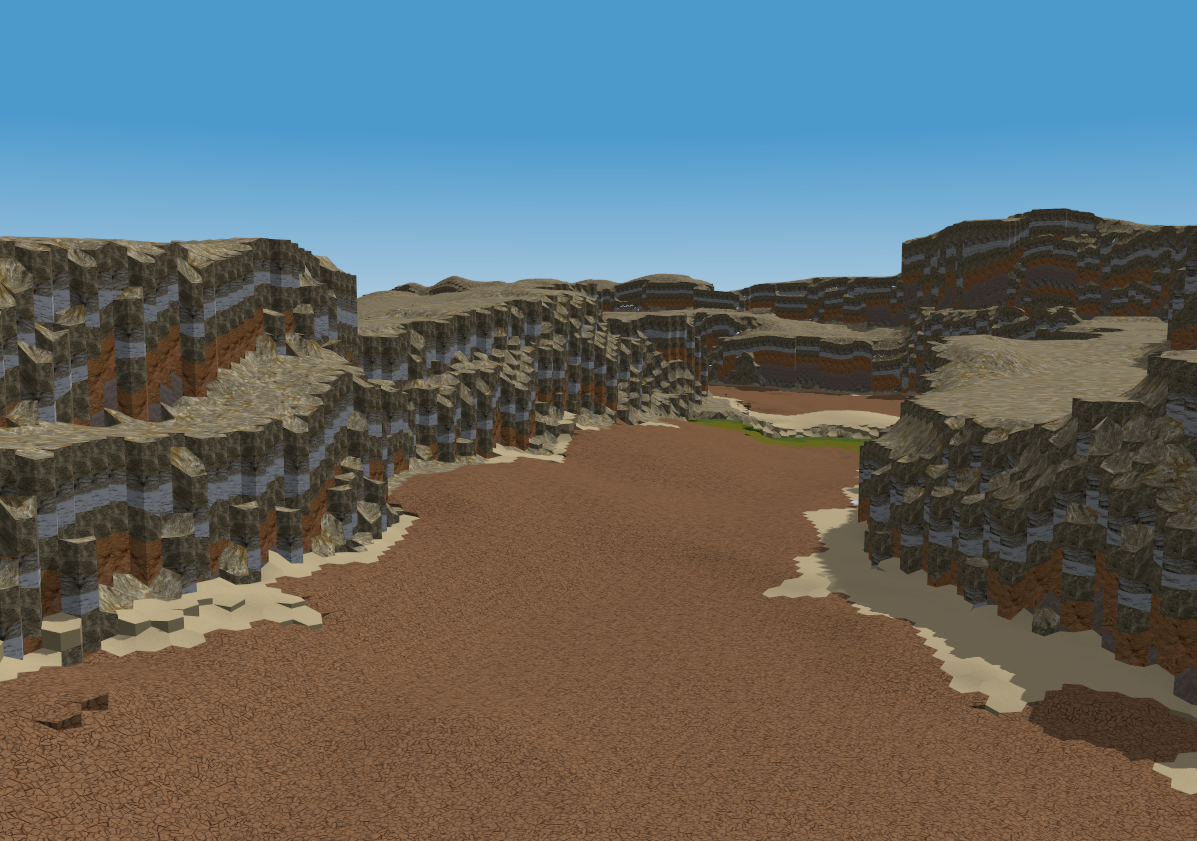
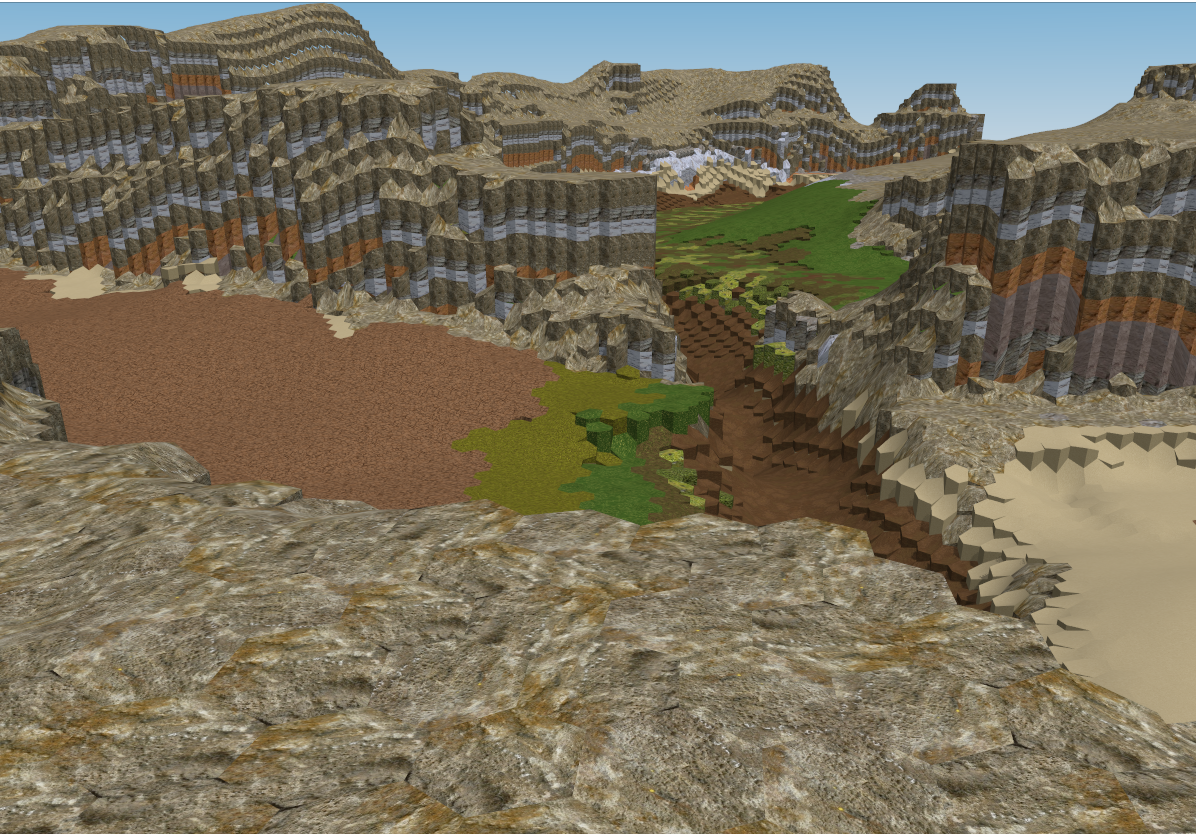
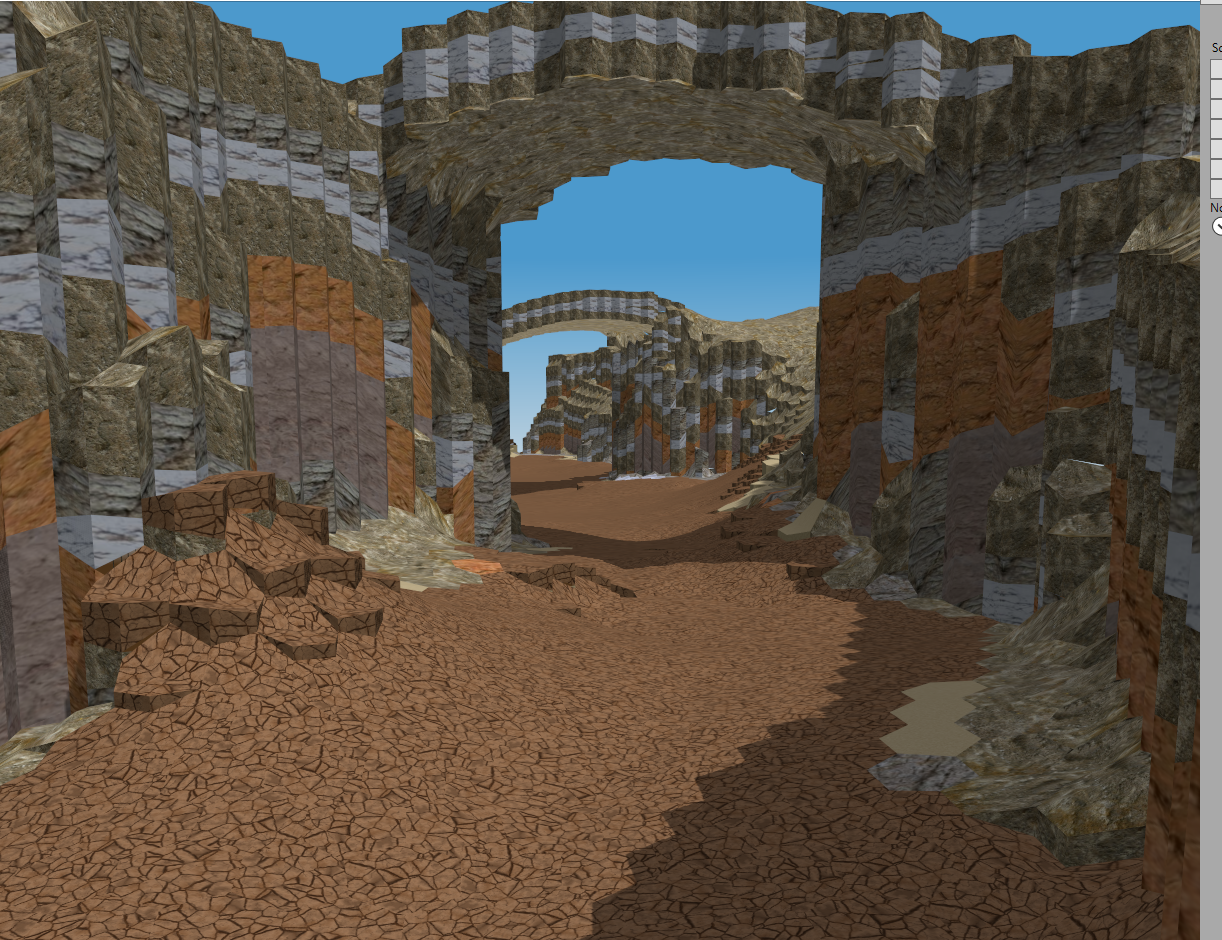
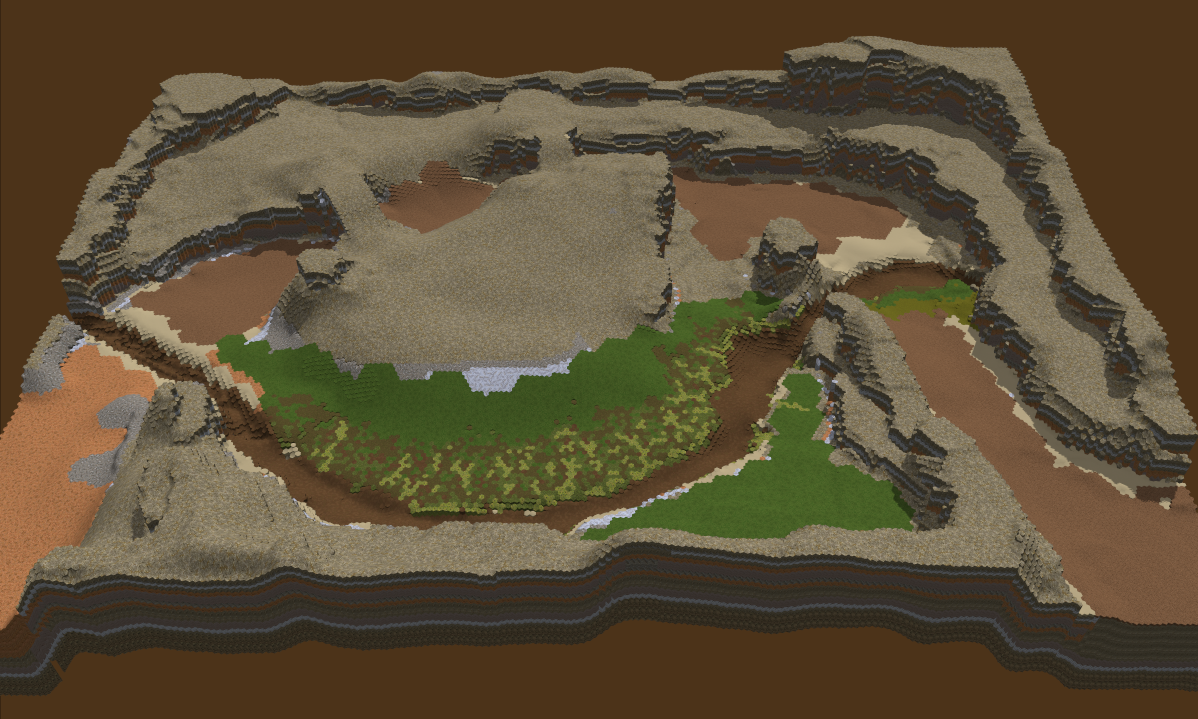
Caravan (Scenario 2) preview images!
Eirikr's been at it in the scenario editor :)


 Early WIP, but neat :)

Wednesday, August 6, 2014
Tutorial Test Phase 2
It's time for another phase of tutorial testing! The feedback from the LAN has been integrated, and some other mechanic tweaks are now in play. I'm going to send out email to quite a few people who haven't played the tutorial yet to get some feedback, and we'll see how it goes from there. :)
Here's some of the changes.
Here's some of the changes.
- Overall Game Updates
- Maneuvers have more reliable cooldowns and behaviors. Hold, Reform, and other instant maneuvers instantly start their cooldowns, so should be available sooner and more consistently. Movement based maneuvers now have a delay after first contact before stopping, so the final contacts should be more reliable.
- Retreat is revamped a bit. Retreat grants a short burst of speed when initiated, same as before. But now, if you redirect retreat, you get another burst of speed at the cost of morale.
- Movement and animation has been seriously updated; Unit legs should be more under control. Units should move much much more smoothly than before. Units shouldn't wiggle as they go back and forth along the hex grid. Units will do some extra animating when running fast, and the locomotors have been largely rebuilt. Unit knockbacks are animated much smoother as well.
- Application Updates
- Asset downloads are now retrieved from S3 instead of the universe directly. This took some magic but should pay off. In the end this means faster asset downloads with less impact to running zones, and more reliable fetching.
- Main menu minor updates: When you have no commanders yet, the 'New commander' menu is skipped. Also, when you create a zone, you now enter a new menu mode, and automatically join when it goes live.
- Tutorial Updates
- Many paths have been shut down to prohibit Joey from breaking everything.
- Many sections of the tutorial are now done in cinematic mode to prevent the user from bypassing sections while talky talk is happening.
- All dialogue is slowed down substantially, and the player can now hit spacebar to skip most dialogues. Space will also skip the big dialogs, but only a few seconds after they show up.
- Retreat section partial rebuild. The Glacial elemental's abilities have been slightly changed.
- The final section now introduces Morale (and HP) and Special attacks. Also the raised platform is destroyed when claiming the Legacy.
- The 3 learnable terrain manipulation skills are more reliable and less crashy, not that anyone used them :)
- Known Tutorial Flaws
- Animation for the swordsman dance at the beginning has messed up timing. Shieldman knockback is a little desynced too.
- Hold section spawns still don't QUITE do what I want them too, but it works better than before.
- Retreat still weird but let's get some feedback on that.
- Final fight still a total and complete chaotic mess; but I don't mind that really.
- Doesn't create permanent commander when complete, yet.
Monday, July 21, 2014
All back up and onward!
Lo, did the server crash. The existing build.redtoast.net has died a thorough death, the main HDD auto-eviscerated itself into oblivion. Very sad.
And lo did a new server be created to take its place. Newer and shinier (in theory) and decidedly not sitting behind my couch.
The server's back on Amazon's cloud! Yay. It's back up and running most of the prior services. Subversion is back up, the debug universe is running as before, and the web deployment scripts are there as well. This time it doesn't run a local HTTP server though, it deploys all the files to S3, which also serves the seriously terrible http://redtoast.net.
So that all took some time of course. Subversion history from the first half of this year is pretty much the only loss. Sad but not a problem.
Since then I've written a few new shiny things. Since I was all Serious for the LAN prep, I decided to take a week or two for some Nick-fun features before diving back into scenarios.
And lo did a new server be created to take its place. Newer and shinier (in theory) and decidedly not sitting behind my couch.
The server's back on Amazon's cloud! Yay. It's back up and running most of the prior services. Subversion is back up, the debug universe is running as before, and the web deployment scripts are there as well. This time it doesn't run a local HTTP server though, it deploys all the files to S3, which also serves the seriously terrible http://redtoast.net.
So that all took some time of course. Subversion history from the first half of this year is pretty much the only loss. Sad but not a problem.
Since then I've written a few new shiny things. Since I was all Serious for the LAN prep, I decided to take a week or two for some Nick-fun features before diving back into scenarios.
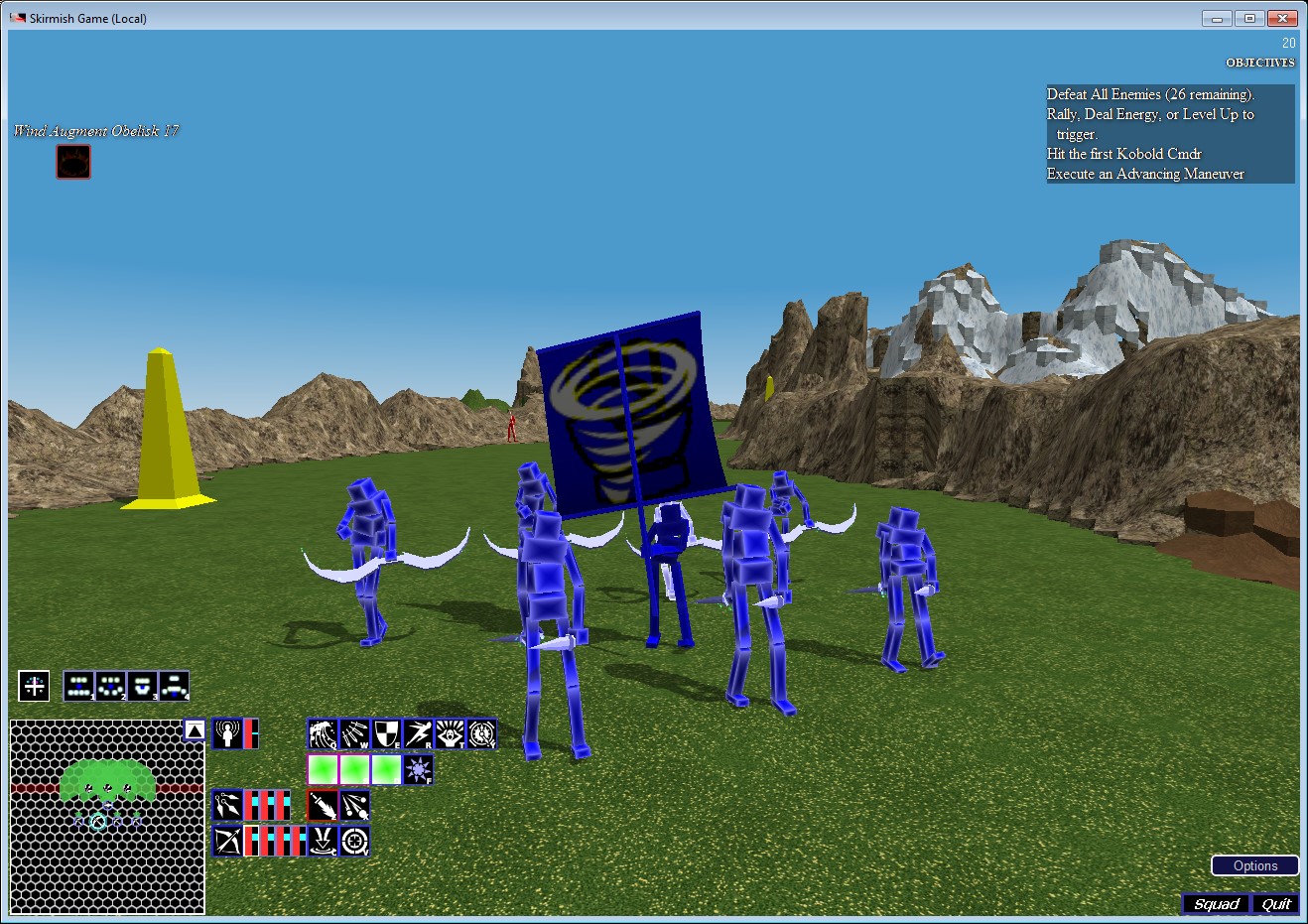
- New Physics based Animations system: We can add limited dynamic bodies as props and stuff: Cloth, ropes, combinations thereof. This means that commanders now have their proper banners!
- On top of that, Teams now have optionally assigned team colors and logos, and player accounts have a logo/icon assigned as well. These logos show up on the banners (and will in other places in time). The Whirlwind is my logo, until I make a custom one.
- Timing update: The sync code between the client and server was written in 2008 and unchanged. It kinda worked but wasn't very good. I wrote a new one. I also wrote a massive change in the client side movement code, and an important change in how locomotion is computed, and an importanter change in timing of animations. End result is massively improved animation stability and much smoother unit motion. Stills can't do it justice. I'll need to movie it up to show. Should do a movie soon anyway, been years.
- Universe related tools. I made myself some new server entrypoints for viewing logs and stuff. Like this. It's not a big thing. OH, Don't hit those launch buttons. (I expect you to hit them, it probably won't break or anything though)
- Fixed the busted installer from the LAN. Wee.
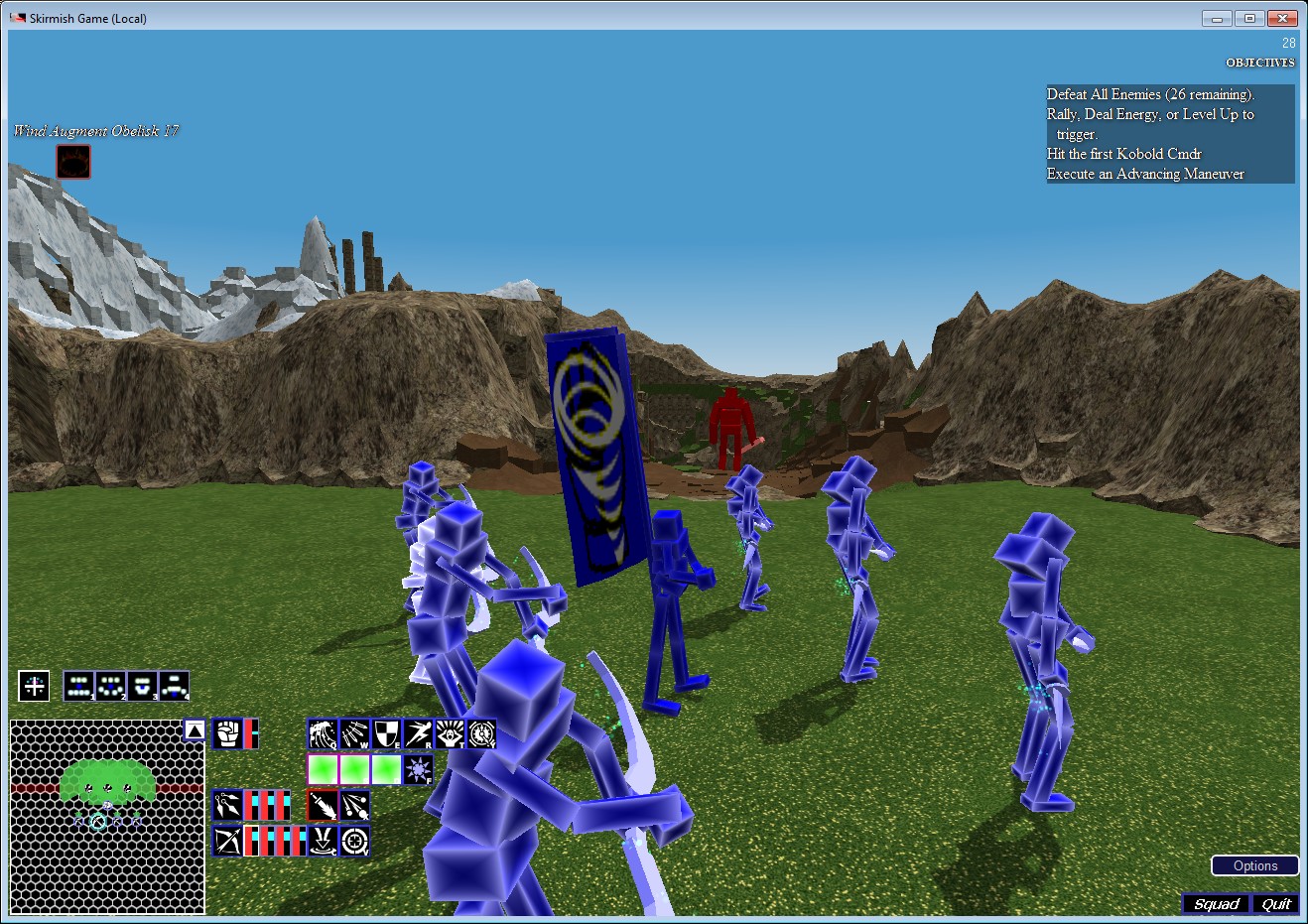
That's pretty much that for now. Finishing up tuning on the tutorial before I blast a request out for more feedback, then starting production on scenario #2!
Subscribe to:
Posts (Atom)